
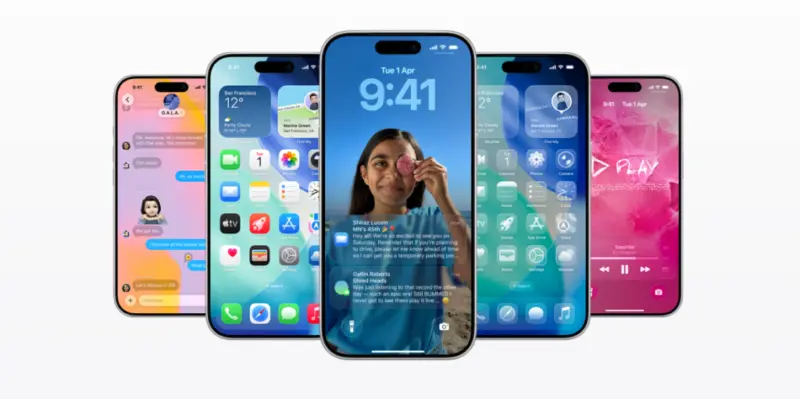

New Delhi, September 21 (Daily Kiran News):Apple has started rolling out iOS 26, one of the biggest iPhone updates since iOS 7. The update brings a fresh Liquid Glass design , along with new features like Call Screening, Hold Assist, upgraded Messages tools, Apple Intelligence functions, and AutoMix in Music . Here's everything you need to know about supported devices and the step-by-step process to update.
Supported iPhones for iOS 26
To install iOS 26, you'll need an iPhone with an A13 Bionic chip or newer, which includes:
iPhone 17 lineup (ships with iOS 26)
iPhone 16 series
iPhone 15 series
iPhone 14 series
iPhone 13 series
iPhone 12 series
iPhone 11, 11 Pro, 11 Pro Max
iPhone SE (2020, 2022)
Older models like iPhone XR, XS, and XS Max will remain on iOS 18.
Prepare Before Updating
Free up storage: Ensure at least 3-6GB free.
Back up data: Use iCloud or a Mac/PC (encrypted backup).
Charge your phone: Keep battery above 50% or plug in.
Connect to Wi-Fi: Avoid interruptions and mobile data charges.
How to Install iOS 26
Open Settings.
Tap General > Software Update.
Wait while the device checks for updates.
Tap Download and Install once iOS 26 appears.
Accept Apple's terms and let the update download.
Tap Install Now or wait for automatic installation.
Your iPhone will restart multiple times. Keep it connected to power until the process completes.
After Installation
On reboot, the "Hello" animation appears, followed by a walkthrough of new features. The device may feel slightly slow initially as it indexes content in the background.
With iOS 26, Apple brings a modern look, smarter AI-powered tools, and stronger communication features to millions of iPhones worldwide.