
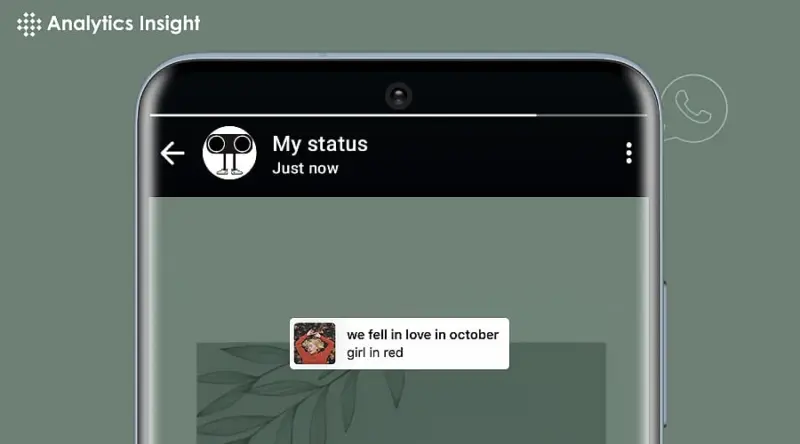

The simple WhatsApp status update just got a whole lot more exciting. With the ability to add music to your status, you can now elevate your simple video clips into engaging mini-films that capture the essence of your personality.
Whether you're celebrating a birthday, sharing a travel story, or simply showcasing your favorite tunes, adding music to your WhatsApp status is a game-changer. But, for many users, the process of adding music to their status remains a mystery.
Let's take a look at the simplest ways to sync music with your WhatsApp status, and for that, no technical knowledge is required. This Instagram-like feature has reportedly started rolling out for beta users on Android, and we're here to guide you through the process.
Method 1: Using WhatsApp's in-house music stickers (Fastest solution)
The following information is for those who need it urgently:
1. Open WhatsApp → Tap on Status → Record/upload a video.
2. Click on the icon at the top toolbar to search for a song (it(supports Spotify/Apple Music).
3. Move the slider to the best position (up to 30 seconds).
4. Post and wait for the reaction to come in.
Pro Tip: Higher interaction will be there with viral snippets (for example, "As It Was" by Harry Styles).
Method 2: Third-Party Software That Provides Full Control
When the available options on WhatsApp appear insufficient for your needs:
1. Start with CapCut or Inshot and upload the video.
2. Click on Audio and select to insert a local audio file or extract the sound from a different video.
3. Regulate the volume to counterbalance the voiceovers with music.
4. Export and post to your status.
Bonus: These programs were also kind enough to provide reverb, fade-out, and other effects to make your work appear even more professional.
Method 3: The Screen Recording Trick (For copyrighted songs)
For songs that cannot be streamed:
1. Play the song on YouTube/Spotify.
2. Start screen recording while the music plays
3. Stop recording when finished.
4. Trim the video (remove all UI elements) →
5. Upload it as a WhatsApp status
Warnings: Over thirty seconds' length is not acceptable because it will trigger copyright.
Why Add Music to WhatsApp Status Update?
Attract and engage audiences with creative updates.
Adds personalization to your status with a favorite song.
Entertains videos more.
Final Tip: Mix trending sound with off-the-cuff clips. A pet video with Beyoncé's Texas +lt+ap+gt+? Instant charm!
Conclusion: Level Up Your Status Game Today
Adding a musical overlay to your WhatsApp status is not just a cool feature, but it truly transforms the experience. Give your ordinary update an intriguing tale by using an in-built WhatsApp sticker, third-party apps for personalization, or simply by adopting a screen-recording trick. Remember, music makes memories; why rob yours? These tips will significantly increase the number of views your status receives.