




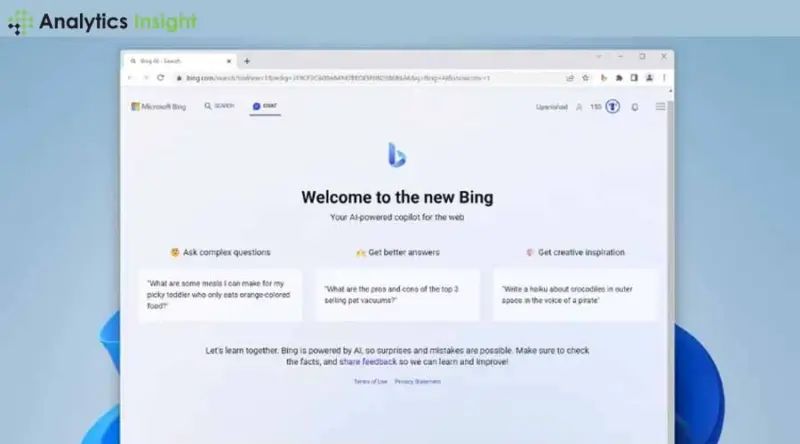

Many users across diverse groups have viewed Bing AI Chat as one of the coolest tools that could be of use in improving one's search experience.
Unlike the conventional way of searching for information, it is possible to converse with Bing AI as one would in a conversation with a friend, making it more interactive.
If you are a beginner in the AI world or simply want to learn how it works, rest assured that this guide will provide an easy-to-follow and fun method to understand how Bing AI Chat works.
What should you know about Bing AI Chat?
One of the exciting features of Bing AI Chat is the incorporation of text generation. It allows users to converse naturally with a tool whilst obtaining or requesting needed information. Instead of entering the string of text, the user can input their query after which the system will produce responses in the form of speech.
How to Start Using Bing AI Chat?
Using Bing AI Chat as a night or daytime companion introduces no further difficulties than readjusting oneself to a slightly different visual format. And in this vein, please follow these simple steps:
1. Open Bing's Homepage
Launch any web browser and go to Bing's homepage, i.e., www.bing.com. There should be a clickable Chat button toward the top of the screen. And this is where the plot thickens.
2. Click on the Chat Button
Upon pressing the chat button, the Bing AI Chat screen appears. Here, the user can communicate with the AI. It is free, and no registration is required.
3. Ask Your Question
Now, this is the amusing part! Enter your query in the chat text area. There is no need to be too polite or overly concerned about the details; the machine can process everyday speech.
Practices to get the best experience of Bing AI Chat
Some suggestions that can enhance your experience even further:
1. Embrace It as a Natural Conversation
Bing AI Chat enables users to speak using the natural language of daily lives. So, rather than writing down a string of related words as one would do in an online search, simply talk to the Chatbot as though having a conversation with a friend.
2. Follow Up Posing Questions
Bing AI Chat is great because it can sustain the users and allow them to continue asking questions and following up on their inquiries.
3. Use Them in Research
Bing AI Chat is especially useful when dealing with research. In recent research, 87% of users stated that they obtained information in less time than required when using chatbots than normal web searches.
Conclusion
In our daily engagements, there is a great demand for Bing AI Chat. This is why almost 70% of people think that the future of searching will be based on AI-assisted tools. This shift points toward increasing confidence in AI's ability to change the search landscape by making it faster and smarter for users.