
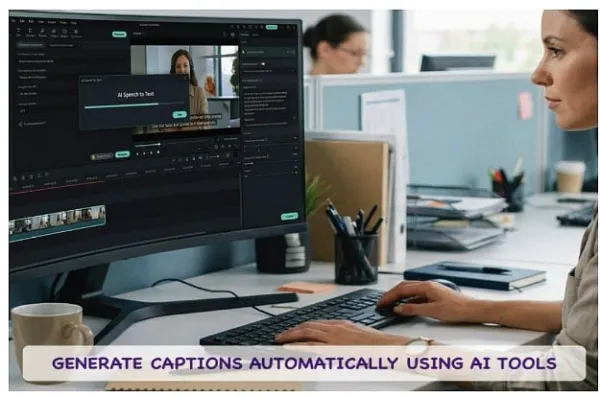

The landscape of digital content has shifted dramatically over the years. What started as images, quickly became GIFs, moved onto audio-visual content, has now evolved squarely into the era of sound-off viewing.
Recent studies highlight a staggering statistic: an overwhelming majority (over 80%) of social media users scroll through their mobile feeds with their devices entirely muted. What!! Read on to know more about this transformation and how you need the right video editing software equipped for this transition!
Part 1. The Era of Sound-Off Viewing

If your content relies purely on audio to convey its message, you are missing out on capturing the attention of millions. This is exactly why learning how to generate subtitles for video has become a non-negotiable skill for creators and marketers alike.
Incorporating auto captions does more than just cater to silent scrollers; it significantly boosts your metrics. Social media algorithms heavily favor engagement rates and total watch time. When you provide accessible, dynamic text on the screen, viewers naturally linger longer to read along. Thankfully, the days of painstakingly typing out every word are over. By integrating an intelligent, AI-powered auto caption generatorlike Filmora into your workflow, generating subtitles from video takes mere minutes.
Part 2. Preparing Your Audio for Flawless AI Transcription
Before you rush to use an AI subtitle generator, taking these two brief preparatory steps ensures the groundwork is properly laid for perfect subtitle output. Even the most sophisticated subtitle maker free of charge or premium AI engine heavily relies on the quality of the input audio.
Ensure Clean Audio: Your first step should always be audio cleanup. Background noise, wind interference, or muddy vocal tracks can easily confuse an auto caption AI, resulting in garbled text. Noise reduction and voice enhancement features within your editing suite can ensure the dialogue is crisp and clear.
Always Select Source Language: Correct identification and selection of source language is vital. Whether your speaker is using English, Spanish, Afrikaans, Mandarin, or a regional dialect, setting the input language manually allows the automatic subtitle generator to reference the correct phonetic library.
Part 3. Step-by-Step: How to Generate Subtitles Automatically with Filmora STT
Here's how to use FilmoraAI Speech-to-Text (STT) module. It is so easy, it is literally one click if you think about it!
Step 1: Filmora interface has been redesigned to make your workflow even faster. Now, at launch screen, you can see new quick-start tools right below New Project banner.
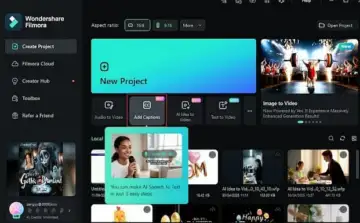
Step 2: Click Add Captions.
Step 3: An import window will show up. Simply select the video/audio file you want to generate subtitles for, and it will be done!
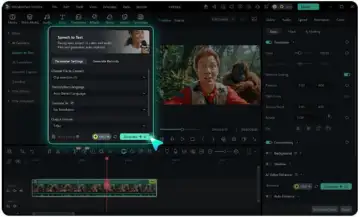
Part 4. Elevating Your Captions' Visual Style
Leaving generated text as plain, default text is a missed opportunity. To truly hold viewer attention, a high-quality auto captions free tool or premium generator can provide a wealth of design options to make your text visually striking.
Explore style templates: Modern tools allow you to apply dynamic, animated styles with a single click-think karaoke-style color reveals, bouncy text, or highlighted keywords that align with fast-paced social media trends.
Utilize Batch Editing: Batch editing is an indispensable feature today. Rather than editing the styling of one sentence at a time, you can highlight the entire subtitle track and simultaneously adjust the font family, text color, size, stroke, and drop shadow for all your auto subtitles in one go.
Precision Tweaking: Even the best AI auto caption tools might occasionally misspell highly technical industry jargon, unique personal names, or newly coined slang. Therefore, always review the generated text within the editor panel and manually correct any slight inaccuracies to ensure a final product that is highly polished.
Part 5. Expanding Your Reach with AI Subtitle Translation
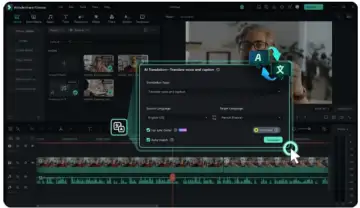
Why limit your video's potential to a single demographic? The best modern tools also serve as an automatic subtitle translator.
With the AI translation feature, you can convert your native automatic captions for videos into dozens of different languages with just one click. If your original video is in English, you can quickly create Spanish, French, or German variations to capture international viewership.
You can even design bilingual subtitles, where two languages are displayed on screen simultaneously, a technique incredibly popular for educational channels and users optimizing for YouTube automatic captions.
Part 6. Pro Tip: Maximizing SEO with SRT File Export
As you finalize your project, consider the SEO benefits of your transcriptions. While burning your stylized free AI subtitle generator text directly into the video file is great for visual engagement, you should also export the raw text as a standalone .srt file.
Uploading this SRT file alongside your video on platforms like YouTube or LinkedIn allows search engine crawlers to read the exact context of your video. This drastically improves your content's discoverability.
Conclusion
Being in 2026, there is no point in depending on your audience to understand your message. With the use of an auto caption generator, you can make it possible for people to watch videos without sound but still be engrossed in them. Don't let your message be left unheard because it's not captioned. Make your move with the best auto subtitle tool in the market, Wondershare Filmora. Get yours now to enhance your watch time, increase your SEO, and reach out to everyone in the world!