




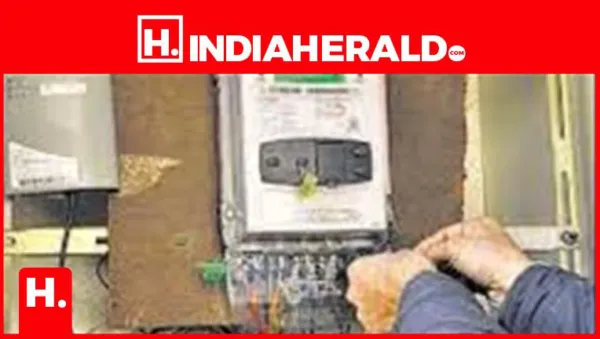

The Uttar Pradesh Power Corporation Limited (UPPCL) has been actively installing smart prepaid electricity meters across the state. These meters allow users to pay electricity charges in advance and monitor real-time usage.
Many consumers are now asking: How do I check whether my prepaid smart meter is working correctly?
Here's a clear, step-by-step guide.
What Is a Smart Prepaid Meter?
A smart prepaid meter is a wallet PLATFORM' >digitalelectricity meter that:
- Works like a mobile prepaid SIM
- Requires recharge before electricity usage
- Tracks real-time electricity consumption
- Sends automatic usage data to the electricity board
How to Check If Your Smart Meter Is Working Properly
✔️ 1. Check the Display Screen
Look at your meter display:
- Shows remaining balance (units or ₹)
- Displays live consumption (kWh)
- Indicates 'ON' status for supply
If the display is blank or shows errors, report immediately.
✔️ 2. Use UPPCL mobile App
You can verify status using official apps like:
- UPPCL Consumer App
- Smart meter monitoring app (region-specific)
Check:
- Current balance
- Daily usage
- Recharge history
✔️ 3. Check Power Supply Status
Your meter will show:
- Green light → Power ON
- Red light → Low balance or disconnection warning
If balance reaches zero, supply may automatically cut off.
✔️ 4. USSD / SMS Alerts (If Enabled)
Some smart meters send:
- Low balance alerts
- Recharge confirmation
- Consumption updates
Make sure your registered mobile number is active.
✔️ 5. Compare with Previous Bills
Even in prepaid mode:
- You can track monthly usage reports
- Compare consumption trends
- Detect unusual spikes
⚠️ Signs Your Smart Meter May Not Be Working Properly
- No balance update after recharge
- Meter display not showing readings
- Sudden power cut despite sufficient balance
- No SMS/app updates
- Incorrect consumption data
In such cases, contact UPPCL immediately.
What to Do If There Is a Problem
Step 1:
Contact localelectricityoffice or helpline
Step 2:
Provide:
- Consumer ID
- Meter number
- Screenshot of issue (if app-related)
Step 3:
Request inspection or meter reset
Benefits of UPPCL Smart Prepaid Meters
- No surprise electricity bills
- Better control over usage
- Real-time tracking
- Faster complaint resolution
- Reduced manual billing errors
Final Takeaway
If your smart prepaid meter from UPPCL is working properly, you should always see:
- Live balance updates
- Real-time consumption data
- Stable power supply
If any of these are missing, it may indicate a technical or connectivity issue that should be reported immediately.
Disclaimer:
The views and opinions expressed in this article are those of the author and do not necessarily reflect the official policy or position of any agency, organization, employer, or company. All information provided is for general informational purposes only. While every effort has been made to ensure accuracy, we make no representations or warranties of any kind, express or implied, about the completeness, reliability, or suitability of the information contained herein. Readers are advised to verify facts and seek professional advice where necessary. Any reliance placed on such information is strictly at the reader's own risk.
Source: India Herald - Balasahana Suresh