
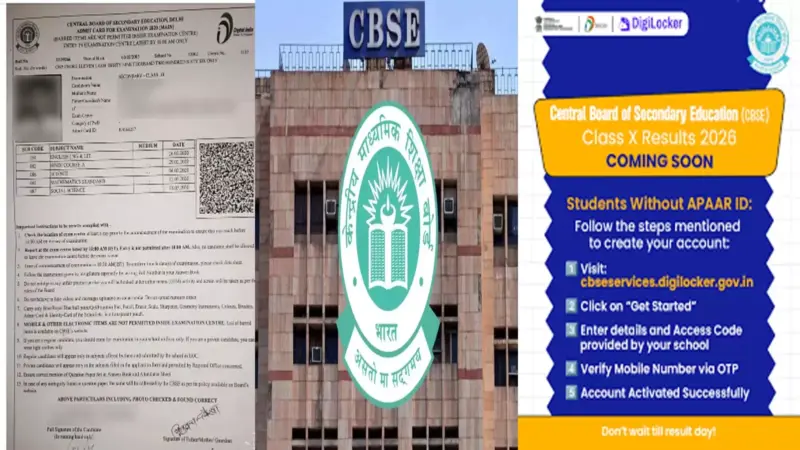

CBSE 10th Class results: The Central Board of Secondary Education has announced the Class 10 results today. DigiLocker had earlier shared a post on its official account on X that said CBSE 'Class X Results 2026 Coming Soon'.
Students who have enrolled in 10th grade are issued an Automated Permanent Academic Account Registry (APAAR ID), a unique 12-digit number linked to the student's Aadhaar Card. Using the APAAR ID you can set up a DigiLocker account. Students with an APAAR ID linked to CBSE will receive their mark sheets in DigiLocker's Issued Documents section after results are published.The platform urged students to set up a DigiLocker account without delay. "Students without an APAAR ID need to create their account. Students with an APAAR ID linked to CBSE will receive their mark sheets in DigiLocker's Issued Documents section after results are published." the post states.
DigiLocker offers one of the fastest and most secure ways to access your digital marksheet with Aadhaar-linked login. The documents are legally valid for admissions and official use right away. With the "Coming Soon" notification already active, your marksheet will be available almost immediately after the results are announced.
How to check CBSE result 2026 on DigiLocker
Giving the steps to create an account on DigiLocker, it mentions the following steps for students without an APAAR ID:
Step 1: Visit https://cbseservices.digilocker.gov.in/activatecbse.
Step 2: Click on "Get Started"
Step 3: Enter details and Access Code provided by the school
Step 4: Verify Mobile Number via OTP to activate account.
Check through CBSE website results.cbse.nic.in
Step 1: Visit the official CBSE results website - results.cbse.nic.in.
Step 2: Click on the link labeled "CBSE Class 10 Result 2026."
Step 3: Enter your login credentials, including your roll number and date of birth.
Step 4: Your result will appear on the screen. Verify all details carefully.
Step 5: Download and save a copy of the result for future reference.
Check using QR Code on Hall Ticket
A QR code is given on the students' CBSE 10th Class Hall ticket. Using the mobile phone, the QR code can be scanned, which will take you to the results.cbse.nic.in, and the student's individual results will be displayed on the phone.
The students can access their CBSE Class 10 results through several reliable platforms, including official websites, DigiLocker, and mobile apps. This multi-channel system prevents server overload during peak hours and ensures every student can check their scores conveniently and securely.