
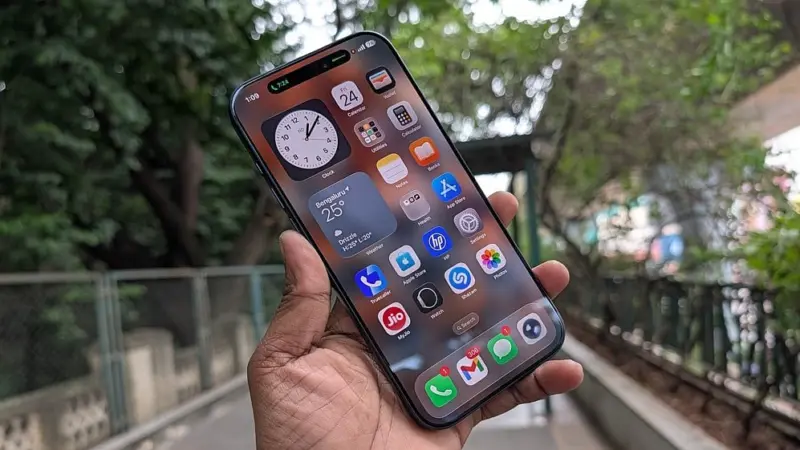

Apple has rolled out iOS 26.4.1 update with criticial security patch to all eligible iPhones worldwide.
Depending on the iPhone model, the update's size varies from 400MB to 700MB. It is coming with just bug fixes to plug security loopholes.
The update fixes the iCloud issue, where some third-party apps were not able to sync their data to the online storage. Even Apple Password too got affected for users and couldn't login to online accounts.
Samsung Message app to be discontinued, move to Google's Android Messages appApple has not published the changelog of iOS 24.6.1 related to security issues. Revealing security issues will help threat actors to exploit the vulnerabilities in Apple devices, which are not updated and they attempt to launch cyber attacks on customers. That's the reason why, the company refrains from revealing the details, as it will give more time for the users to update their devices to the latest version.
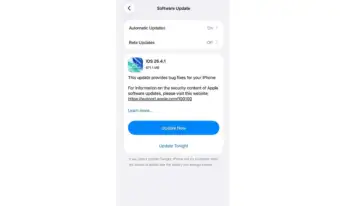
Apple iOS 26.4.1 update.
Apple has released iPadOS 26.4.1 and macOS 26.4.1 with similar bug fixes. Device users are advised to update to the latest version as soon as possible to safeguard themselves from cyber threats.
List of iPhones eligible for iOS 26.4.1 update:
iPhone 16e, iPhone 16, iPhone 16 Plus, iPhone 16 Pro, iPhone 16 Pro Max, iPhone 15, iPhone 15 Plus, iPhone 15 Pro, iPhone 15 Pro Max, iPhone 14, iPhone 14 Plus, iPhone 14 Pro, iPhone 14 Pro Max, iPhone 13, iPhone 13 mini, iPhone 13 Pro, iPhone 13 Pro Max, iPhone 12, iPhone 12 mini, iPhone 12 Pro, iPhone 12 Pro Max, iPhone 11, iPhone 11 Pro, iPhone 11 Pro Max, and iPhone SE (2nd gen).
Similar to iPhones, Apple has rolled out iPadOS 26.4 with same new features and security bug fixes for iPads.
List of Apple iPads eligible for iPadOS 26.4.1 update:
iPad Pro (M4), iPad Pro 12.9-inch (3rd generation and newer versions), iPad Pro 11-inch (1st generation and newer versions), iPad Air (M4), iPad Air (M3), iPad Air (M2), iPad Air (3rd generation and newer versions), iPad (A16), iPad (8th generation and newer versions), iPad mini (A17 Pro), and iPad mini (5th generation and newer versions).
Here's how to install iOS 26.4.1/iPadOS 26.4.1 on iPhones and iPads:
As noted earlier, the update is very big, and users are advised to rely on Wi-Fi to download it. And, ensure the device has a little over 50 per cent battery life before starting the installation process.
Via OTA (Over-The-Air)
Prerequisite: Users who want to install the update directly onto the device through OTA, make sure there is enough storage space and the device has more than 50 per cent battery life, before initiating the download of the new iOS/iPadOS update.
Step 1: Settings >> General >> Software update
Via manual installation through Apple iTunes
Prerequisite: Back up your iPhone/iPad to iCloud or iTunes before initiating the download procedure. Also, your PC must have the latest version of the iTunes app. If not, go to About, then check for Updates, or visit iTunes.com.
Step 1: Launch iTunes on your Mac or PC.
Step 2: Insert your iPhone/iPad if it isn't already.
Step 3: Tap on the iPhone/ iPad in the top left navigation.
Step 4: Tap on the Check for Update button in the first section that contains information about your device, and alternatively, you can click Restore instead if you'd like to do a clean wipe with updated software.
Step 5: An update should be recognised, click on Download and Update in the pop-up menu and agree to the terms and conditions.
Step 6: Unlock your device with your passcode if prompted to continue with the upgrade.
Apple rolls out emergency update to older iPhones, iPads to protect them from hacking toolkit DarkSword