

In late 2025, Google launched its new generative Artificial Intelligence (gen AI) Large Language Model (LLM) Gemini 3.0 with most advanced capabilities.
It is capable of generating images, videos and understanding complex queries. It is much better at figuring out the context and intent behind the user's request. This way, users don't have to add additional prompts to Gemini to better understand the query.
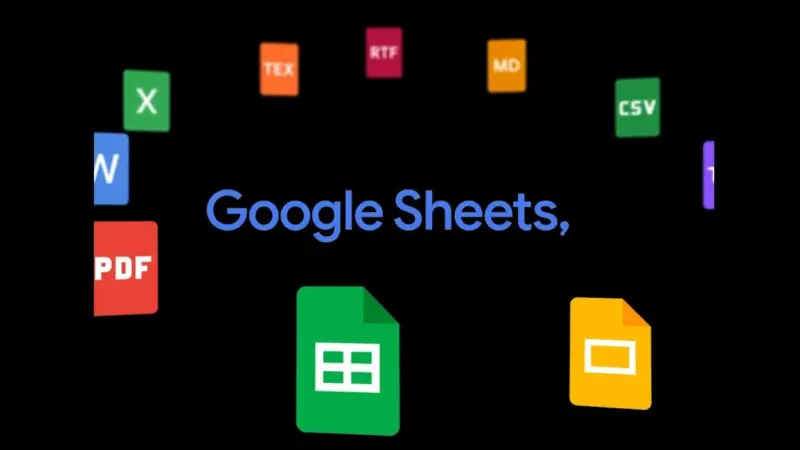
Now, Google Gemini AI, as noted in the headline, is capable of turning any idea into a proper plan in the form of docs, PDFs, Microsoft Excel sheets, Slides, Sheets and other formats.
Quick summary - click for full detailsConcise summary of key highlights
Google Gemini AI app can now generate Docs, PDFs, Microsoft Excel Sheets and more
In one lineGoogle's Gemini AI app now generates and converts documents into multiple formats like Docs, PDFs, and Excel sheets.Key points• Advanced LLM capabilitiesGemini 3.0 offers superior context understanding and intent detection, reducing the need for additional prompts.• Multi-format document generationUsers can convert ideas into structured documents, PDFs, Excel sheets, and more directly within the app.• Handwritten note conversionSnapshots of handwritten notes can be transformed into legible PDFs or text formats for easy sharing.• Seamless file managementFiles can be downloaded locally or exported to Google Drive in supported formats like .docx, .xlsx, and .pdf.• Global accessibilityThe feature is available to all Gemini app users worldwide, enhancing productivity across platforms.Processed with AI. Reviewed by DH Digital Team.
Earlier, users had to copy and paste a document and had to use multiple applications to reformat a file. With the new updated Gemini AI app, this process gets eliminated. Users can easily move documents, such as a budget proposal, to a Microsoft Excel (.xlsx) file, arrange loose ideas into a bulleted draft or consolidate a lengthy collaboration into a single-page PDF or Microsoft Word (.docx) without leaving the Gemini AI app.
Also, users can take snapshots of handwritten notes and, with the Gemini AI app, can turn it in to PDF with simple, legible texts for easy understanding.
For most formats, users can then directly download the file to the device or export to Drive.
Supported formats include: Workspace files (Docs, Sheets and Slides), .pdf, .docx, .xlsx, .csv, LaTeX, Plain Text (TXT), Rich Text Format (RTF) and Markdown (MD). The feature is now available to all Gemini app users globally.
In a related development, Google has launched a new feature in Google Wallet to store Aadhaar-verifiable credentials.
With the new capability, Google Wallet makes it easier to verify identity for everyday conveniences. Initially, it will support PVR Inox, which the owner can use to verify age when booking A-certified movies.
Other compatible apps include BharatMatrimony, Mygate, Snabbit and Atlys.
With Google Wallet integration, users need not rely solely on the Aadhaar app, which sometimes fails due to server connectivity issues.
You can now add Aadhaar-verifiable credentials to Google Wallet in India