
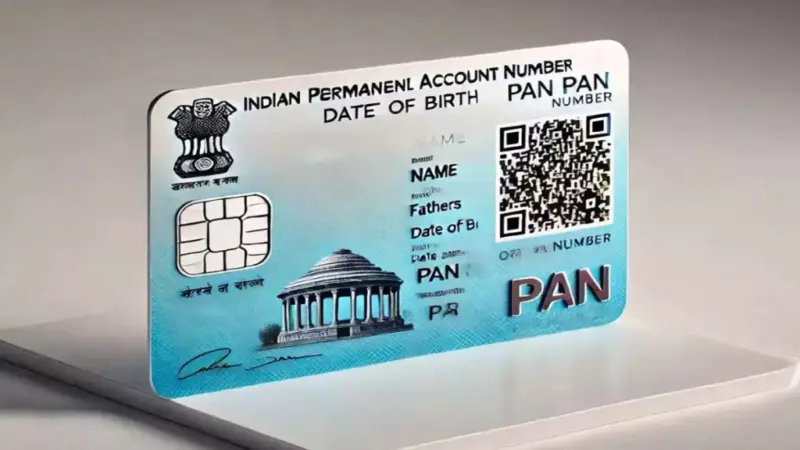

The Income Tax Department has launched the updated version of the PAN card, PAN 2.0, which is mandatory for all PAN cardholders. This updated PAN card comes with enhanced security features, including a QR code.
Important Points About PAN 2.0:
- QR Code and Security: The new PAN 2.0 will include a QR code containing the PAN holder's name, PAN number, and other details, which can be scanned for easy verification.
- Linking with Aadhaar: PAN 2.0 will be mandatory to link with Aadhaar, which will help prevent tax fraud and PAN card misuse.
- How to Apply for the New PAN Card: If you already have a PAN card, there is no need to apply for a new one. You simply need to link your Aadhaar card with your PAN and update your address online. This can be done through the Income Tax Department's official website at incometaxindiaefiling.gov.in.
Application Process for PAN 2.0:
- If You Already Have a PAN Card:
- You only need to link your Aadhaar card with your PAN card and update the address. You can log in to the Income Tax Department's website for this process.
- PAN-Aadhaar linking can also be done through SMS. Send UIDPAN to 56161 to link your PAN with Aadhaar.
- If You Don't Have a PAN Card:
- If you don't have a PAN card, you can apply for a new one on the Income Tax Department's website. The application is free, and you will be allotted the PAN 2.0 version.
- Once the new PAN card is issued, you can download it in PDF format from the UTIITSL or NSDL website.
What Happens If You Don't Apply for PAN 2.0?
If you don't apply for the new PAN 2.0 card, you could face several issues:
- The old PAN card may become invalid.
- There may be difficulties in filing income tax returns.
- You may face problems with banking transactions, loans, and credit card applications.
- You will not be able to avail benefits from government schemes and subsidies.
How to Update Address on PAN Card Online:
- Log in to the official portal https://www.onlineservices.nsdl.com/.
- Enter your PAN number, Aadhaar number, and date of birth. Accept the terms and click submit.
- Perform e-KYC verification by entering the OTP sent to your registered mobile number.
- Update your contact details such as mobile number and email. You will receive an OTP for verification.
- After entering the OTP, your address will be updated for free.
Without the new PAN 2.0 card, you may face obstacles in various government and financial processes. It is advisable to update your PAN card as soon as possible.