




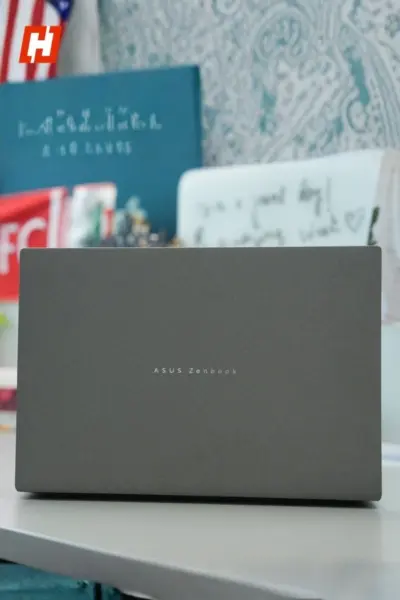

The Asus Zenbook S14 enters a category that has become increasingly expensive over the last few years. As premium laptops continue to push past the ₹2 lakh mark, finding a machine that genuinely feels worth the money has become harder than ever.
Fortunately, Asus has built a strong reputation in the thin-and-light segment. The company has consistently delivered some of the most polished ultraportables around, blending premium design, excellent displays, dependable performance, and impressive battery life into remarkably compact machines.
 Hook.Online
The Zenbook S14 looks set to continue that tradition. It combines Intel's latest Core Ultra processors with a gorgeous 3K OLED display, a large 77Wh battery, and up to 32GB of RAM, all inside a chassis that weighs just 1.2kg.
Of course, none of that comes cheap. The entry-level Core Ultra 5 226V model with 16GB of RAM starts at ₹1,34,990, while the Core Ultra 9 386H version begins at ₹1,99,990. The top-end configuration I tested, featuring 32GB RAM and 1TB storage, costs ₹2,49,990.
That is serious money. So, does the Zenbook S14 do enough to justify its premium price tag?
Asus Zenbook S14 Review: A masterclass in premium design
More often than not, the first thing that grabs my attention on a laptop is either the display or the overall design. With the Zenbook S14, however, it was the material finish. Asus has been working with Ceraluminum for a few years now, and I still remember getting my hands on the company's first Ceraluminum-powered laptop at IFA Berlin in 2024. Even back then, it felt like Asus had stumbled onto something special. The implementation of the 2026 Zenbook S14 feels even more polished.
The finish has a distinctive texture that immediately stands out. It keeps fingerprints at bay surprisingly well and offers a little extra grip, which is always appreciated on a laptop this thin. Asus offers the Zenbook S14 in Antrim Gray and Scandinavian White. Personally, I think the grey variant is the more attractive of the two.
 Hook.Online
What impressed me even more was how sturdy the laptop felt. At just 1.1cm thick and weighing only 1.2kg, you'd expect some compromises in rigidity, but that isn't the case here. The CNC-machined Ceraluminum chassis feels exceptionally solid, with minimal flex across the body. It also carries MIL-STD 810H certification, which adds an extra layer of reassurance when it comes to durability.
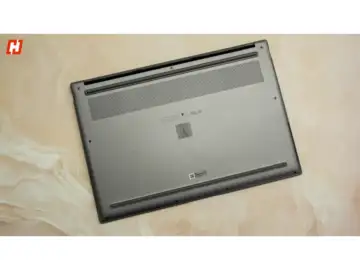
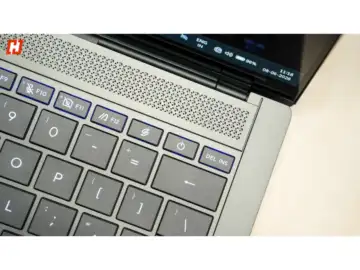
One of the more interesting design details sits right above the keyboard. The geometric grille initially looks like part of the speaker system, but it actually plays a role in cooling. Asus has integrated a vapour chamber beneath it to help dissipate heat more effectively while keeping the overall profile slim.
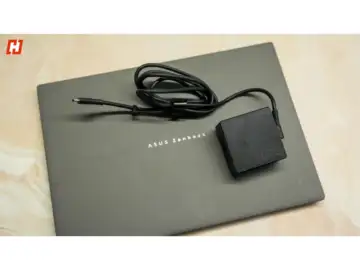
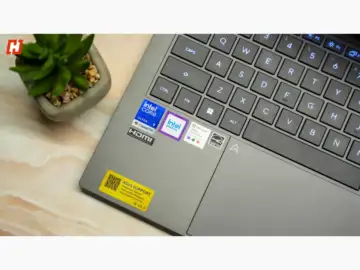
The rest of the design is relatively understated. The lid features a subtle Zenbook logo, while the trackpad carries Asus' signature arrow motif. Unlike some older Zenbook models that featured more artistic patterns on the lid, the S14 takes a cleaner and more restrained approach.
The hinge deserves a mention as well. It opens to roughly 120 degrees and does an excellent job holding the display in place. While there is some expected flex in the lid, it never feels fragile, and there is virtually no screen wobble while typing.
 Hook.Online
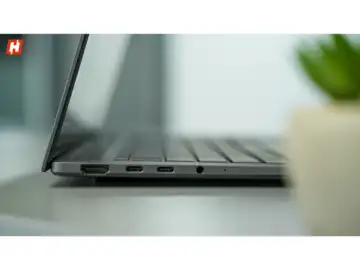
Connectivity is another area where Asus gets things mostly right. You get a USB 3.2 Gen 2 Type-A port, HDMI 2.1, a 3.5mm audio jack, and two Thunderbolt 4 USB-C ports that also handle charging through the bundled 68W adapter. Wireless connectivity is equally future-ready with Wi-Fi 7 and Bluetooth 6.0. My only real complaints are the lack of an SD card slot and the fact that both USB-C ports are located on the left side, which limits charging flexibility depending on your setup.
Asus Zenbook S14 Review: A display that rarely puts a foot wrong
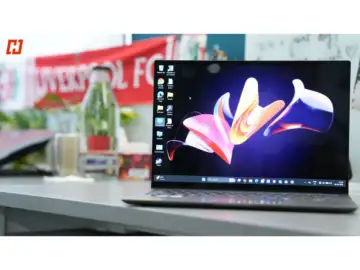
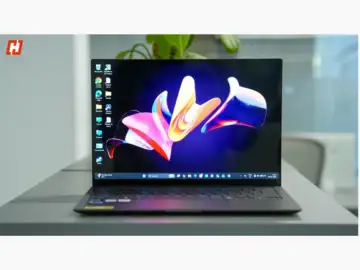
If there's one area where Asus consistently gets things right, it's displays, and the Zenbook S14 is no exception. The laptop features a 14-inch 3K OLED touchscreen, and after spending time with it, I'd comfortably place it among the best displays available on any ultraportable right now.
The specifications are impressive enough. You get a 3K panel with a resolution of 2880 x 1800, a 16:10 aspect ratio, a 120Hz refresh rate, and 500 nits of typical brightness, with HDR content peaking at up to 1100 nits. More importantly, the real-world experience lives up to the spec sheet.
 Hook.Online
Everything looks fantastic on this panel. Colours are vibrant without looking oversaturated, blacks are perfectly inky, and the high refresh rate makes everyday interactions feel smooth and responsive. Whether I was editing photos, browsing the web, or juggling multiple windows, the display always felt sharp and fluid. It also covers 100% of the DCI-P3 colour gamut, supports 1.07 billion colours, carries Pantone Validation, and is certified for VESA DisplayHDR True Black 1000. The quoted 1,000,000:1 contrast ratio isn't just marketing either. It genuinely shows when watching HDR content.
The viewing experience is equally impressive. Thanks to the 90% screen-to-body ratio, movies, sports, and TV shows feel immersive. I particularly enjoyed watching content on Prime Video, where the OLED panel's contrast and colour reproduction really shine. The anti-glare coating also does a good job reducing reflections in brightly lit environments, while TUV Rheinland and SGS Eye Care certifications make extended viewing sessions more comfortable.
Touch support is included, and the panel also works with a stylus, which is useful for note-taking or sketching. My only complaint is that the glossy touchscreen picks up fingerprints quite easily, so you'll find yourself reaching for a microfibre cloth fairly often.
Asus Zenbook S14 Review: Excellent keyboard, good trackpad
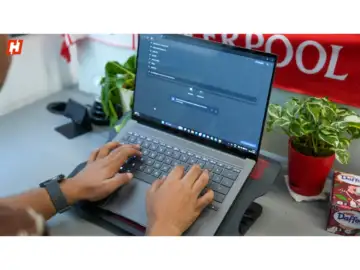
A good laptop keyboard is one you stop thinking about after a few minutes, and that's exactly how I felt about the Zenbook S14. Asus has been making excellent keyboards for years now, and this one continues that trend.
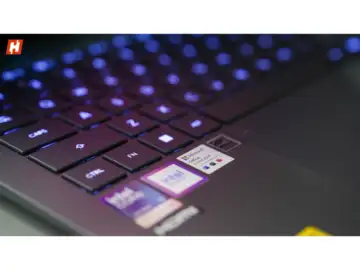
Despite the laptop's slim profile, typing feels comfortable and surprisingly natural. I was able to settle into my usual typing rhythm almost immediately, which is often the best compliment you can give a keyboard. The chiclet-style layout is clean and familiar, while the backlighting makes it easy to work in darker environments.
 Hook.Online
Key travel is respectable for a laptop this thin, and the keys offer enough feedback to make long writing sessions comfortable. The keyboard deck does exhibit a small amount of flex if you actively look for it, but during everyday use, it never became noticeable. Asus has also done a good job with spacing. While the layout is naturally a little tighter than what you'd find on a larger laptop, it never feels cramped.
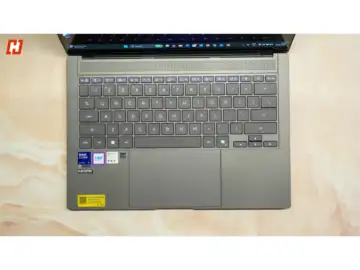
The touchpad left me with slightly more mixed feelings. On one hand, it's large, smooth, and extremely responsive. The glass surface feels premium, and multi-touch gestures work flawlessly. Asus' Smart Gesture shortcuts are particularly handy, allowing you to adjust things like brightness and volume directly from the touchpad without interrupting your workflow.
 Hook.Online
On the other hand, the sheer size of the touchpad occasionally led to accidental palm touches during use. I also wasn't particularly fond of the click mechanism. While it works perfectly well, the physical clicks lack the crisp tactile feedback I'd expect from a laptop at this price point.
Asus Zenbook S14 Review: Strong webcam performance, decent audio
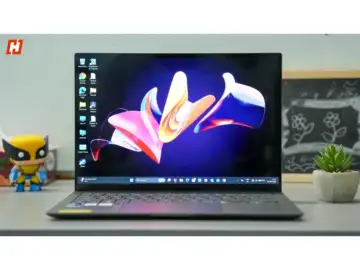
One feature I was slightly surprised to see missing on the Zenbook S14 is a fingerprint scanner. Instead, Asus has gone all-in on Windows Hello facial recognition, powered by an infrared camera. Thankfully, the implementation is excellent. The 1080p webcam produces a sharp, clear image, handles tricky lighting situations well, and does a respectable job with HDR, making it more than capable for video calls, virtual meetings, and everyday conferencing.
Asus has also included a few thoughtful extras aimed at hybrid workers. Presence detection allows the laptop to lock automatically when you walk away and wake up when you return, which quickly becomes a feature you appreciate. The webcam can be disabled using the F10 key, although I still would have preferred a dedicated physical privacy shutter for added reassurance. Features like Studio Effects and AI-powered noise cancellation, accessible through the MyAsus app, further improve the overall video calling experience.
 Hook.Online
Audio performance is solid as well. The speakers get sufficiently loud for personal use and deliver sound that feels fuller than you'd expect from a laptop this thin. There's a decent amount of detail, and even some noticeable bass. They're perfectly adequate for movies, music, and YouTube, although a good pair of headphones will still offer a richer listening experience.
Asus Zenbook S14 Review: Powerful performance with excellent multitasking chops
The Zenbook S14 may not be running Intel's absolute top-tier Panther Lake chip, but after spending time with it, I never felt like I was missing out on anything. My review unit came equipped with the Intel Core Ultra 9 386H, without the Arc B390 graphics, but for the kind of work most people buy an ultraportable for, it is more than capable.
Everyday performance is exactly what you'd hope for from a premium laptop at this price. Applications open instantly, large files load quickly, and demanding software runs without complaint. I spent time working in Photoshop, editing photos in Lightroom, and even threw some 4K video editing workloads at it purely to see how it would cope. The Zenbook S14 handled everything comfortably. What stood out even more was how cool it remained. Even under sustained loads, the Ceraluminum chassis never became unpleasantly warm.
 Hook.Online
Where this laptop really shines, however, is in multitasking. My workflow is rarely simple. On a typical day, I have Chrome packed with tabs, multiple Word documents, Slack, Outlook, YouTube, music streaming services, Photoshop, and Lightroom all running simultaneously. The Zenbook S14 barely seemed to notice. With 32GB of LPDDR5X RAM and up to 1TB of storage backing up the processor, this feels like a machine designed for serious productivity users.
The benchmark results reflect that experience:
Cinebench 2026- Single Core: 489
- Multi Core: 2951
Geekbench- Single Core: 2855
- Multi Core: 16632
CrossMark- Overall: 2150
- Productivity: 1900
- Creativity: 2612
- Responsiveness: 1734
Other benchmarks- PCMark: 8340
- 3DMark Time Spy: 2873
- 3DMark Steel Nomad: 2449
PugetBench- Photoshop: 8009
- Lightroom Classic: 4303
- DaVinci Resolve 21: 27274
Gaming is really the only area where some perspective is needed. The integrated Intel graphics are perfectly adequate for casual titles and everyday graphics workloads, but this is not a gaming laptop. If gaming is a priority, you'll be better served elsewhere, although cloud gaming services such as GeForce Now remain an option.
 Hook.Online
The Zenbook S14 is also fully equipped for Microsoft's Copilot+ ecosystem, and it works brilliantly well, thanks to its dedicated NPU capable of delivering up to 49 TOPS.
Asus Zenbook S14 Review: Battery life that easily lasts all day
Battery life is one of the Zenbook S14's biggest strengths. Asus has paired a large 77Wh battery with Intel's latest Panther Lake architecture, and the results are genuinely impressive. During my testing, with the display brightness set to around 80%, I regularly saw between 12 and 13 hours of screen-on time. Given the kind of workload I typically throw at a laptop, that's an excellent result. Lighter users should have little trouble stretching that to 15 or even 16 hours on a single charge.
 Hook.Online
Charging performance is solid, too. Asus includes a 68W USB-C charger in the box, although the laptop can support up to 100W charging with a compatible adapter. Using the bundled charger, I was able to reach roughly 50% battery in a little over half an hour, while a full charge took about 90 minutes.
Asus Zenbook S14 Verdict: One of the best ultraportables money can buy
After spending time with the Zenbook S14, it's difficult to find any major faults with it. Asus has put together an exceptionally well-rounded laptop that nails the fundamentals while also delivering a few standout strengths. The design feels premium, the Ceraluminum chassis is both lightweight and sturdy, the OLED display is among the best you'll find on a Windows ultraportable, and battery life is genuinely excellent.
 Hook.Online
What I appreciated most, however, is how balanced the overall experience feels. The Core Ultra 9 386H processor paired with 32GB of RAM makes demanding multitasking feel effortless, while the 77Wh battery comfortably powers through a full workday and then some. Despite all that hardware, the laptop still weighs just 1.2kg, making it easy to carry around every day.
That doesn't mean it's flawless. The absence of an SD card slot feels like a missed opportunity, the oversized touchpad can occasionally lead to accidental touches, and anyone looking for serious gaming performance should look elsewhere. At ₹2,49,990 for the configuration reviewed here, the pricing is also firmly in premium territory.
Still, if your priorities are productivity, content creation, portability, battery life, and a fantastic display, the Zenbook S14 stands out as one of the easiest Windows laptop recommendations I can make right now.
Social and lead images credits: Credit for all images: Hook.Online