
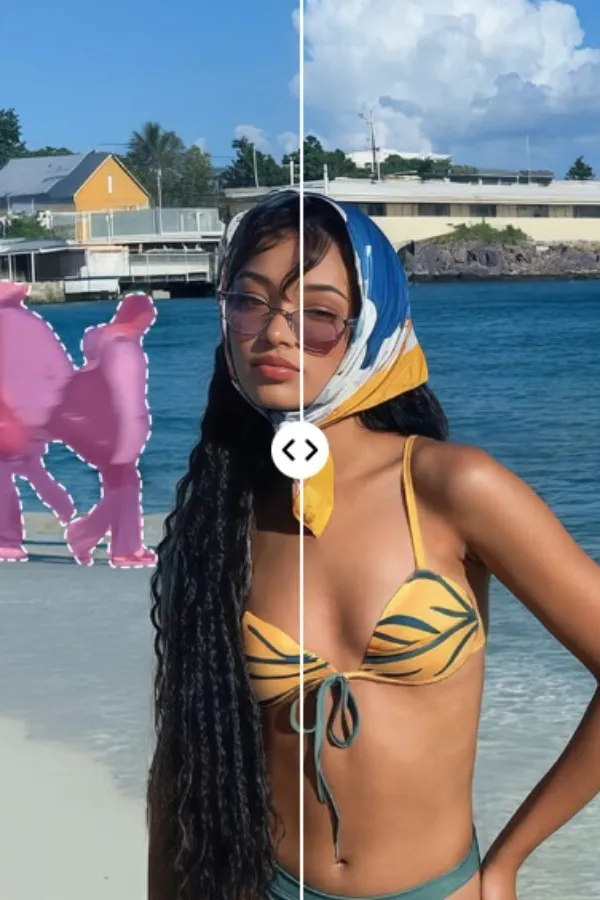

We have all looked at a great photo and wished we could hit a "delete" button on a distracting tourist or an accidental photobomber.
Thanks to generative AI object remover, that button now exists. But as browser-based editing becomes the standard, the question is no longer if you can remove someone, but which tool does it with the most realism.
Two of the most capable web-based platforms for this task are BeautyPlus and Cleanup.pictures. Both utilize AI inpainting to fill the gaps left behind after a removal, but they approach the "art of the erase" from different angles. We tested them head-to-head to see which one delivers a truly seamless result.
The Difference Between "Erasing" and "Inpainting"
When you use an object remover to remove person from photo, the software isn't just cutting a hole. It's performing "Inpainting." The AI looks at the rest of the image-the clouds, the bricks, the grass-and tries to invent new pixels to fill the empty space.
The success of a tool depends on its "contextual awareness." A basic tool might just blur the surrounding colors into the gap, while a high-end AI tool will actually continue a fence line or a shadow to ensure the edit is undetectable.
BeautyPlus
While many associate the brand with mobile filters, the BeautyPlus Object Remover is a surprisingly powerful desktop-class tool. It's designed for users who want their final image to look like a professional took it, even after heavy editing.
The Experience
The BeautyPlus web interface is clean and professional. It provides a highly adjustable brush that allows for precise selection around a subject's silhouette. Once you hit the "Remove" button, the AI takes a moment to analyze the lighting and geometry of the scene.
Why It Works for People Removal
BeautyPlus shines when the background is "busy." If you remove a person standing in front of a complex architectural detail-like a window frame or a tiled floor-the AI is remarkably good at maintaining those straight lines. It prioritizes the structural integrity of the photo, which is crucial when you're trying to fix a travel shot in a crowded city.
Cleanup.pictures
Cleanup.pictures is built on a philosophy of extreme efficiency. It is a dedicated web app that does one thing: it removes unwanted elements as quickly as possible.
The Experience
There is zero friction here. You drag a photo into the browser, paint over the person you want gone, and the change happens almost instantly. It is an impressive display of AI speed, making it a favorite for those who find traditional photo editors too cumbersome.
Why It Works for People Removal
Cleanup.pictures is at its best when dealing with organic, repetitive backgrounds. If you're removing someone from a sandy beach, a grassy field, or a clear blue sky, it blends the area flawlessly. It uses a very "fluid" algorithm that is excellent at matching gradients and soft textures.
Pros and Cons Summary
BeautyPlus
Pros:- Structural Awareness: Excellent at reconstructing lines and patterns.
- High Quality: Maintains the sharpness and resolution of the original area.
- Feature-Rich: Part of a larger suite where you can also enhance the photo's lighting.
- Processing: Takes a few seconds longer to calculate the fill.
Cleanup.pictures
Pros:- Speed: Near-instant results as you brush.
- Simplicity: No menus or complex settings; just upload and erase.
- Organic Blending: Exceptional for nature and outdoor shots.
- Precision: Can occasionally struggle with very complex, geometric backgrounds.
- Resolution: The free version limits the output resolution of the saved file.
Which Tool Is Right for You?
The "better" tool depends on the specific photo you are trying to save.
- Choose BeautyPlus if: You have a photo with a lot of detail-like a city street, a historical monument, or a room with specific patterns. If the background requires "logic" to reconstruct, BeautyPlus is the more reliable partner.
- Choose Cleanup.pictures if: You are in a rush and have a relatively simple background. For social media posts where the "vibe" matters more than pixel-perfect architectural lines, its speed is unbeatable.
Final Verdict
The perfect photo is no longer a matter of luck because it is now a matter of choosing the right AI logic. If you are dealing with a photo that has a lot of structural detail such as a city street or a room with a specific pattern, you should prioritize a tool that emphasizes texture reconstruction. The ability of the AI to logic out where a line should go is what separates a professional edit from a messy one.
However, if you are simply cleaning up a shot of the great outdoors, a high speed object remover is usually more than enough to get the job done. The goal is not just to make the person disappear but to make the background feel like they were never there to begin with. By choosing a tool that respects the geometry and lighting of your original shot, you ensure your memories remain as beautiful as you remember them.