




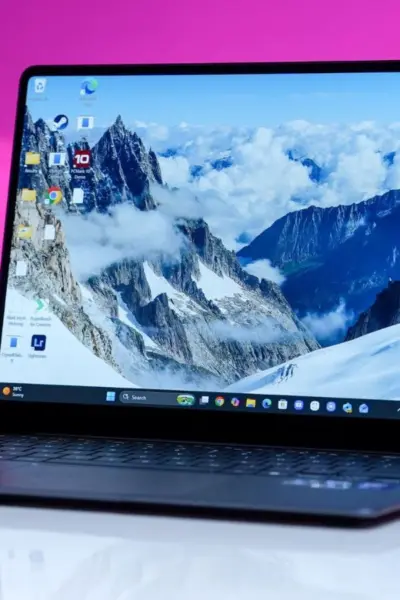

Thin and light laptops usually stick to a very predictable formula. You get a premium, refined design, a focus on short bursts of performance instead something solid and substantial, a somewhat dependable battery life, and easy portability.
Samsung's Galaxy Book6 Pro steps into this crowded space with a similar approach, but it also attempts to go a step further by trimming down some of the usual trade-offs associated with this category.
 Hook.Online
That added ambition does not come cheap. The 14-inch base model, equipped with 16GB RAM, 512GB storage, and the Intel Core Ultra 5 325 processor, starts at ₹1,69,990, clearly placing it in the premium segment. The unit we tested, also a 14-inch variant, pushes things further with an Intel Core Ultra 7 358H chip, 32GB RAM, and 1TB storage, priced at ₹2,14,990. At this price, expectations shift beyond design and raw performance, with buyers also looking for a seamless ecosystem experience, something MacBooks have set the standard for.
So, does it actually deliver where it matters, and is it worth the asking price?
Samsung Galaxy Book6 Pro Review: Design that nails portability but misses a few details
Samsung clearly prioritised portability with the Galaxy Book6 Pro, and it shows the moment you pick it up. The 14-inch unit I tested is just 11.6mm thin and weighs a little over 1.2kg, which is seriously impressive for a machine that is also aiming to deliver strong performance and dependable battery life. It never feels like a compromise piece.
That lightweight build translates directly into everyday convenience. I could slide it into my backpack without thinking twice about the added bulk, and on days when I was commuting via the Metro, it made carrying a laptop feel almost effortless.
 Hook.Online
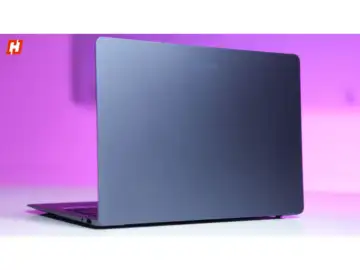
The chassis is built entirely out of aluminium, and the moment you start using it, the rigidity and premium feel are obvious. There is very little flex, and the overall construction feels solid. That said, there is a small ergonomic issue. The wrist rest tapers into a slightly sharp edge, and during longer typing sessions, I could feel it pressing into my wrists. It is not a major drawback, but it is something I kept noticing over time.
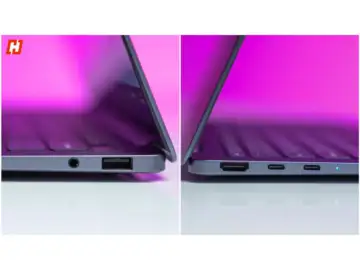
Samsung has done a commendable job with ports. On the left, you get two USB-C Thunderbolt 4 ports along with a full-sized HDMI 2.1 port, capable of outputting up to 8K at 60Hz or 5K at 120Hz, which is excellent for connecting to high-resolution external displays. On the right, there is a USB 3.2 Type-A port and a 3.5mm combo audio jack. However, the absence of an SD card slot on this 14-inch variant feels like a miss, especially for a device that carries the Pro branding.
 Hook.Online
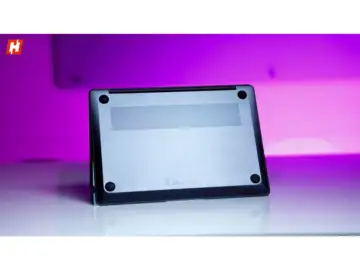
Flip the laptop over, and you will find rubber feet that keep it stable while also lifting it slightly off the surface. There are bottom-firing speakers placed along the edges, along with an intake vent near the top. The exhaust is positioned at the back, close to the hinge, which helps keep heat away from the sides.
 Hook.Online
The lid design remains clean and minimal, with Samsung claiming improvements to the hinge mechanism. In use, the opening and closing action does feel smoother, although there is still a slight snap when it shuts completely. There is a bit of wobble if you deliberately move the display, but while typing or using the touchscreen, it stays largely steady.
Samsung Galaxy Book6 Pro Review: A display that quietly steals the spotlight
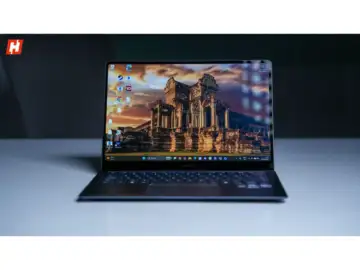
If there is one area where the Galaxy Book6 Pro immediately pulls you in, it is the display. The 14-inch unit I tested uses Samsung's Dynamic AMOLED 2X panel with a 3K resolution of 2880 x 1800, and it does not take long to appreciate just how good it looks. It is also a fully functional touchscreen with support for up to 10 simultaneous inputs, and over time, I found myself naturally using touch far more often than I expected.
The way this panel handles colours is where it really stands apart. Everything looks vibrant without feeling over-processed. It runs at 120Hz, but more importantly, it can scale between 30Hz and 120Hz depending on what you are doing. That balance between smoothness and efficiency works well in daily use.
 Hook.Online
Samsung has backed this up with VESA DisplayHDR True Black 1000 certification. In real terms, that means HDR brightness can go up to 1000 nits, while SDR content sits closer to 500 nits. Combine that with the deep blacks AMOLED panels are known for, and you get excellent contrast with HDR content looking natural and well-balanced.
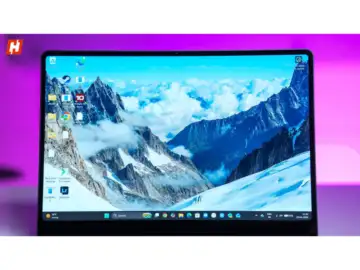
At this size, the 2880 x 1800 resolution keeps everything looking sharp and detailed. The panel covers 100 per cent of the DCI-P3 colour space and even goes beyond 100 per cent of sRGB, which makes it suitable for colour-sensitive work on apps like Photoshop or DaVinci Resolve. There is also Samsung's Vision Booster at play, which tweaks brightness, contrast, and colours depending on ambient light. It is subtle, but it does make a difference over time.
 Hook.Online
The 16:10 aspect ratio gives you that extra vertical room, which is genuinely useful when working on documents or spreadsheets. Bezels are fairly slim, though not class-leading, and the bottom chin is thicker, carrying a small Samsung logo.
This is still a glossy display, but the Gorilla Glass with DXC coating helps keep reflections in check. It is not as glare-resistant as a matte panel, but it remains usable in most scenarios.
All things considered, this is a display that feels consistently premium, whether you are getting work done or just watching content.
Samsung Galaxy Book6 Pro Review: Speakers and webcam that stay functional, not flashy
This is one area where the Galaxy Book6 Pro feels a little more restrained. On the 14-inch model, Samsung uses a bottom-firing stereo speaker setup with Dolby Atmos support. In practice, they get sufficiently loud and have a bit of presence, but they do not quite deliver that rich, room-filling sound you might expect at this price.
That said, they are far from disappointing. For everyday tasks like watching videos, jumping on calls, or even casual music playback, they perform reliably. Most users will find them perfectly serviceable. It is just that when the rest of the laptop aims higher, the speakers feel like they are sticking to the basics rather than pushing for more.
The webcam is where the compromise becomes more noticeable. You are getting a 2MP sensor with 1080p video, which feels fairly standard, but not particularly impressive for a premium laptop in 2026. It works fine for meetings and video calls, and features like Windows Studio Effects, including auto framing, eye contact correction, and background blur, do help improve the experience. Beyond that though, it remains fairly straightforward.
Samsung Galaxy Book6 Pro Review: A familiar keyboard and an excellent touchpad
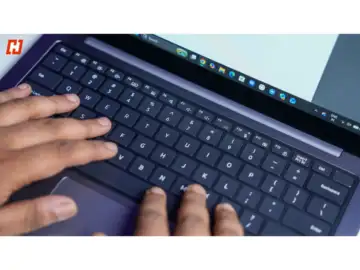
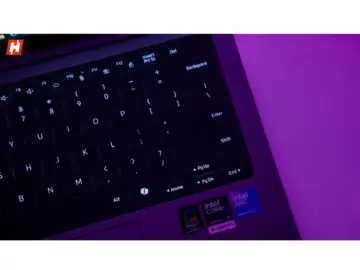
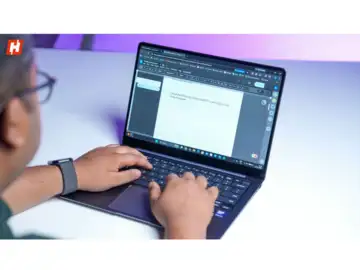
Samsung has not really reinvented the keyboard here, and honestly, I do not think it needed to. The setup feels very similar to what I have seen since the Galaxy Book3 series, and that works in its favour. The keycaps are properly sized, spacing is generous enough for long writing sessions, and the white backlighting shines clearly through the legends, which makes typing in dim lighting easy.
 Hook.Online
What I noticed most is that this is a fairly shallow keyboard. The keys do not travel very deep, and they bottom out quickly, so inputs feel fast and immediate. I did like the tactile response, although the keyboard can get a little noisy when I type at speed. My bigger issue was the firmness. Even after writing somewhere between 20,000 and 30,000 words on it, I never fully adjusted to that slightly stiff feel. Some of you may actually enjoy that sort of feedback, but for me, it remained a small irritant.
 Hook.Online
The touchpad, though, is where I have almost no complaints. It is large, smooth, and consistently responsive. My fingers moved across it effortlessly, palm rejection worked properly, and the haptic feedback felt precise and evenly tuned no matter where I pressed.
Samsung Galaxy Book6 Pro Review: Performance that pushes past thin-and-light limits
I went into testing the Galaxy Book6 Pro expecting the usual thin-and-light compromises, but performance turned out to be one of its biggest strengths. These machines are not typically known for serious power, so I kept my expectations in check. It did not take long for that assumption to fall apart.
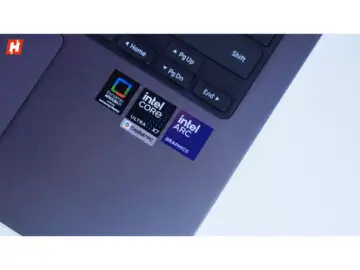
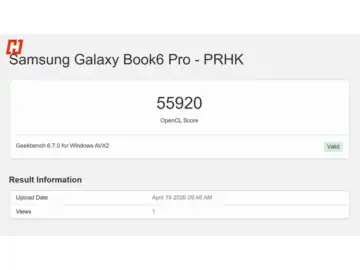
At the core of this laptop is Intel's Panther Lake platform, and my unit came equipped with the Core Ultra X7 358H. This is a 16-core processor with 8 efficiency cores, 4 performance cores, and 4 low-power efficiency cores, clocking up to 4.8GHz within a 25W to 80W range. In practice, I found it handled almost everything I threw at it without slowing down.
 Hook.Online
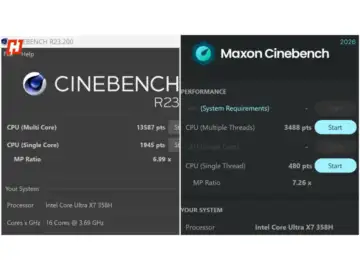
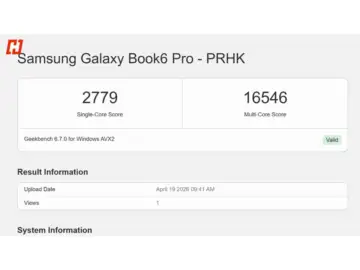
In day-to-day usage, the balance between efficiency and performance is well judged. It may not be the absolute fastest chip out there, but for most real-world workloads, I never felt like I was hitting a ceiling. Benchmark results from GeekBench and Cinebench back that up.
 Hook.Online
 Hook.Online
 Hook.Online
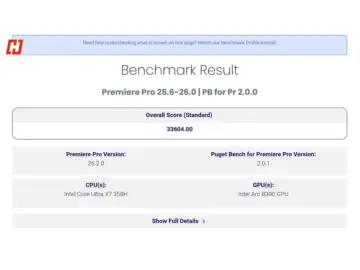
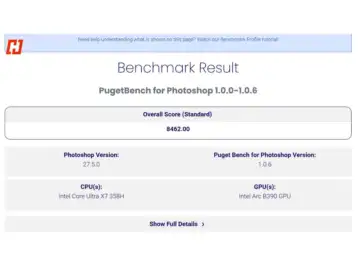
I pushed the system fairly hard during testing. Working on large, multi-layered PSD files in Photoshop felt smooth, and even in Premiere Pro, a complex 1080p timeline with multiple effects ran without any stutters. PugetBench results also reflect a solid showing for a laptop in this class.
 Hook.Online
 Hook.Online
That consistency carries over to on-device AI tasks. With a dedicated NPU delivering up to 50 TOPS, I was able to run several AI-driven features locally without relying on the cloud. That said, if you are planning to run heavier local LLM workloads, something like the Galaxy Book6 Ultra with a dedicated GPU would make more sense. Graphics performance also exceeded my expectations. The integrated Intel Arc GPU is more capable than I anticipated.
 Hook.Online
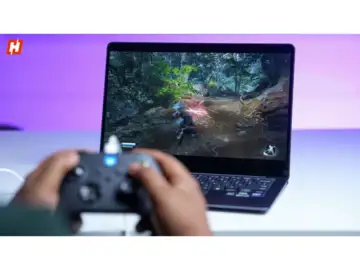
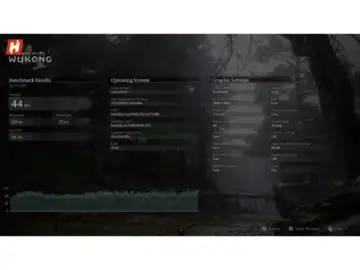
I even spent some time gaming on it. While this is not designed as a gaming machine, it holds up surprisingly well with the right settings. In Black Myth: Wukong, running at 2880 x 1800 on low settings, I was seeing around 44FPS without frame generation. Dropping the resolution to 1080p and enabling frame generation pushed that to a much smoother 70 to 75FPS.
 Hook.Online?
I also tested a few more titles at 1080p on low settings. Cyberpunk 2077 averaged 88FPS, Ghost of Tsushima came in at 103FPS, and Valorant on high settings easily pushed around 210FPS. For a thin and light device, that is more than playable if I just want to unwind after work.
Thermal management is another strong point. Even during longer gaming sessions and repeated benchmark runs, the laptop stayed reasonably cool. The top section of the keyboard did warm up slightly, but never to an uncomfortable level. Samsung's redesigned vapour cooling chamber and updated fan system clearly help here.
Fan noise is handled impressively well too. Even under load, I barely noticed the fans spinning. During one benchmark run, I actually had to bring the laptop closer to my ear just to confirm they were active.
So while I would not pick this up as a dedicated gaming machine, for creators, working professionals, or anyone who travels often, the Galaxy Book6 Pro delivers strong, reliable performance, with enough headroom to handle casual gaming when needed.
Samsung Galaxy Book6 Pro Review: Ecosystem perks and AI that actually feel useful
Running on Windows 11, my experience with the Galaxy Book6 Pro was a bit of a mixed bag at first. The usual quirks are still here. Updates can feel unpredictable, and there is a constant push towards Copilot. Some of those AI tools genuinely help, but others feel like they exist just because they can.
Where things start to feel different is Samsung's own ecosystem layer sitting on top. This laptop is clearly designed to work best if you are already using Galaxy devices, and I could see that play out very quickly in my usage. Pairing it with the Samsung Galaxy S26 Ultra made a noticeable difference. I could use my phone as a webcam, move files and clipboard content across devices without friction, and even extend my workspace by turning the phone into a secondary display. File transfers, in particular, felt almost instant, very similar to how Apple AirDrop works.
If you are already using a Galaxy S series device or something like a Fold or Flip, these integrations feel smooth and dependable rather than gimmicky.
On the AI side, Windows Copilot is present, but Samsung's Galaxy AI tools feel more interesting in daily use. You get the usual mix of photo editing, writing assistance, and translation features, but I found AI Search particularly useful. Instead of digging through folders, I could just describe what I was looking for and the system would pull it up.
There are also smaller quality-of-life touches. I could ask Galaxy AI to tweak display settings, like boosting colours, and it would just handle it. None of this feels revolutionary, but together, it makes the overall experience feel more fluid and intuitive.
Samsung Galaxy Book6 Pro Review: Battery life that holds up in real-world use
Battery life on the Galaxy Book6 Pro was a pleasant surprise for me. Despite its slim build, Samsung has packed in a 67.18Wh battery, and in my usage, it held up really well.
 Hook.Online
With best performance mode enabled and brightness set around 50 to 55 per cent, I consistently got about 14 to 15 hours of screen-on time. That is nowhere near the 30 hours Samsung claims, but in real-world use, it still works out to a solid two-day machine for most people.
If you have used thin and light x86 laptops before, you would know how rare this is. Machines with similar performance often struggle to go beyond 4 to 5 hours, but efficiency gains with Intel's Panther Lake chips clearly help here.
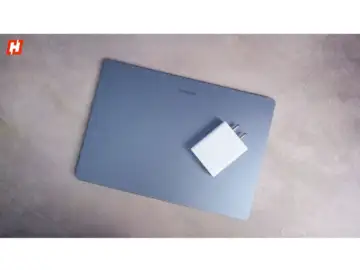
Charging is handled via a 65W USB-C adapter that is easy to carry and can charge other devices as well. A full charge takes about 1 hour and 20 to 30 minutes, while a quick 30-minute top-up gets you close to 40 to 45 per cent.
Samsung Galaxy Book6 Pro Review: Verdict
Samsung is clearly aiming the Galaxy Book6 Pro at the MacBook Pro crowd, and after spending time with it, I think it gets a lot right. What stood out to me is how naturally it balances performance, portability, and battery life without feeling like it is making compromises to get there. It feels cohesive rather than forced.
When it comes to ecosystem and features, I also found it holding its own against Apple in a meaningful way. The experience feels well-integrated, especially if you are already in Samsung's ecosystem.
 Hook.Online
In daily use, the laptop felt consistently smooth. Whether I was editing photos, working on video timelines, or juggling multiple apps, it stayed responsive without slowing me down. Add to that the AMOLED display, which looks fantastic for both work and entertainment, and it becomes a machine I genuinely enjoyed using every day.
Battery life is another strong point. It comfortably lasted through long workdays for me, and fast charging meant I was never waiting too long to get back up and running.
This is not a gaming-first machine, but it does not need to be. For professionals, creators, or anyone who wants a premium, reliable laptop on the move, this is a compelling option, and one that comes surprisingly close to matching a MacBook Pro.
Credit for all images: Hook.Online