




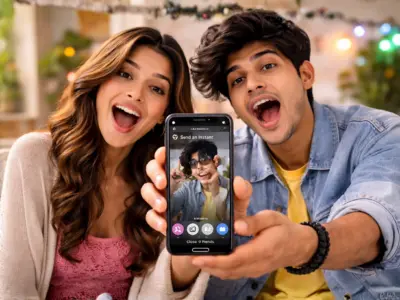

Instagram users opened their inboxes this week expecting harmless memes and unread reels. Instead, many accidentally discovered a brand-new feature by unintentionally sending random photos to half their friend list.
Classic social media chaos.
The new feature, called Instants, was launched globally by Meta's Instagram as a way to share disappearing, real-time photos. Think candid moments, less pressure and spontaneous sharing. Very "live in the moment" energy.
Except there is one tiny issue: people are accidentally sending pictures before they even realise what is happening.
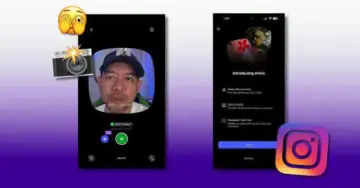 Instagram | Right after sending an Instant, an Undo option appears beneath the shutter button. Tap it quickly before the recipient opens the image.
When users tap the little photo stack icon in their inbox for the first time, Instagram runs through a super fast introduction explaining that Instants disappear, replies stay private and there is no viewers list. Cute. Fun. Mysterious.
The new feature, called Instants, was launched globally by Meta's Instagram as a way to share disappearing, real-time photos. Think candid moments, less pressure and spontaneous sharing. Very "live in the moment" energy.
Except there is one tiny issue: people are accidentally sending pictures before they even realise what is happening.
Instagram | Right after sending an Instant, an Undo option appears beneath the shutter button. Tap it quickly before the recipient opens the image. Why everyone is panic-googling "how to turn off Instants"
The confusion mostly comes from how quickly the feature moves.When users tap the little photo stack icon in their inbox for the first time, Instagram runs through a super fast introduction explaining that Instants disappear, replies stay private and there is no viewers list. Cute. Fun. Mysterious.
Then suddenly - boom - the camera opens.
Underneath the shutter button sits a small toggle between "Friends" and "Close Friends", but by default, it is automatically set to "Friends". Which means the second someone taps the shutter button, the photo instantly gets sent out to everyone on their friends list unless they manually change the setting first.
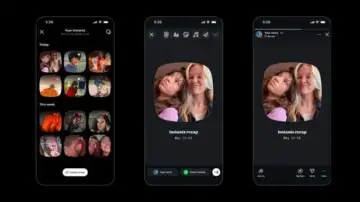 Instagram | If disaster has already struck, Instagram does offer a tiny survival window.
 And because Instagram users are trained to carefully review, edit and emotionally analyse every photo before posting it, this instant-send setup has understandably caused full digital panic.
How to turn off Instagram Instants
Thankfully, you can disable the feature before another accidental forehead selfie gets launched into the universe.Here is how:
Open Instagram
Go to your profile
Tap the three-line menu in the top-right corner
Open "Settings"
Scroll to "Content Preferences"
Toggle on "Hide Instants in Inbox"
Once enabled, the feature disappears completely from your inbox.
If you only want a temporary break from Instants, you can also hold down the Instants stack and swipe right to pause receiving them.
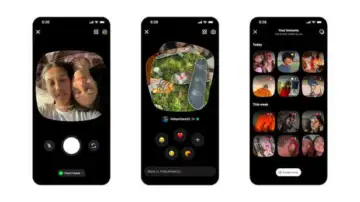 Instagram | The confusion mostly comes from how quickly the feature moves.
 Accidentally sent a photo? Here is your escape route
If disaster has already struck, Instagram does offer a tiny survival window.Right after sending an Instant, an "Undo" option appears beneath the shutter button. Tap it quickly before the recipient opens the image. Users can also head to the archive section through the four-box icon in the camera screen and delete Instants before they are viewed.
Because honestly, some photos were never meant to leave the camera roll in the first place.