
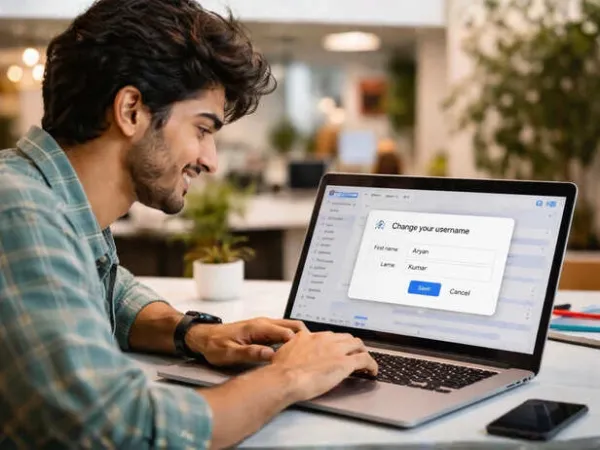

I am sure I am not the only one whose first ever Gmail account username is not embarrassing! We have all been there. Creating a Gmail account in our early teens with zero foresight and maximum chaos.
And unfortunately, that same email has followed you everywhere. Job applications, official documents, banking, subscriptions, your entire life is tied to an ID you probably do not even want to say out loud anymore.
 X | You can only change your username once every 12 months, and there is a lifetime cap of three changes.
 That embarrassing Email ID? Time to let it go
Well, finally, there is good news. Google has decided to clean up our digital past.For the longest time, changing your Gmail username was simply not an option. If you wanted a new one, you had to start from scratch. New inbox, new logins, new headaches.
Now, Google is rolling out a feature that lets you change the username part of your email, the bit before "@gmail.com" without ditching your account.
Yes, you can upgrade your identity without losing your digital life. Growth, but make it seamless.
 X | It sticks around as an alternate address linked to your account.
 No data loss, no drama
Before you panic about losing years of emails, photos, or files, relax. Everything stays exactly where it is.
Your inbox remains intact. Your Google Drive, Photos, and history do not disappear into the void. It is essentially the same account, just with a better name.
Think of it as a rebrand, not a reset.
Here is the interesting part. Your old email ID does not vanish.
It sticks around as an alternate address linked to your account. That means emails sent to your old ID will still reach you, and you can log in using either version.
So yes, your past still exists. It is just slightly less visible now.
 X | Your Google Drive, Photos, and history do not disappear into the void. It is essentially the same account, just with a better name.
 A few rules before you rush
Before you go wild with renaming, there are some limits.You can only change your username once every 12 months, and there is a lifetime cap of three changes. Also, your new email must be unique, so do not expect to grab something super generic.
Basically, choose wisely. This is not a weekly personality switch.
How to change your Gmail username
If the feature is available for you, here is how you do it:Go to your Google Account settings
Tap on "Personal info"
Find "Email" under contact details
Select "Google Account email"
Edit your username and confirm
That is it. Same account, upgraded name.
When can you try it?
Right now, the feature is rolling out in the United States, so others might have to wait a bit. But once it lands globally, expect a wave of digital glow-ups.Because let us be honest, some email IDs were never meant to survive adulthood.