




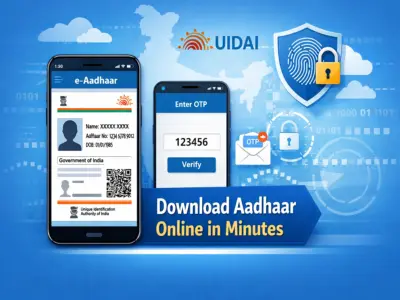

Lost your Aadhaar card or need a digital copy urgently? There's no need to worry. In today's digital era, you can easily download your e-Aadhaar online within minutes and use it as a valid identity proof anywhere in India.
Issued by the Unique Identification Authority of India, the Aadhaar card is one of the most important identity documents. The best part is that its digital version holds the same legal validity as the physical card.
What Is e-Aadhaar and Why Is It Important?
An e-Aadhaar is a password-protected electronic version of your Aadhaar card that you can download from the official UIDAI website. It is widely accepted for:
- Government services
- KYC verification
- Banking and financial transactions
- Online applications
Even if your physical Aadhaar card is lost or damaged, the digital copy can serve all purposes without any issue.
What You Need Before Downloading Aadhaar
To download your Aadhaar card online, you must have at least one of the following:
- Aadhaar Number (UID - 12 digits)
- Enrollment ID (EID)
- Registered mobile number or email ID
If you don't remember your Aadhaar number, you can retrieve it online using your registered details.
How to Retrieve Aadhaar Number (If Lost)
Follow these steps to find your Aadhaar number:
- Visit the official website of Unique Identification Authority of India
- Select the option to retrieve Aadhaar or Enrollment ID
- Enter your full name (as per Aadhaar records)
- Provide your registered mobile number or email ID
- Enter the security captcha
- Request an OTP
- Enter the OTP received on your phone/email
- Your Aadhaar number will be sent to you via SMS or email
Step-by-Step Guide to Download e-Aadhaar
Once you have your Aadhaar number, follow these steps:
Step 1: Visit the UIDAI Website
Go to the official portal of Unique Identification Authority of India.
Step 2: Open e-Aadhaar Download Page
Navigate to the Download Aadhaar section.
Step 3: Choose Identification Option
Select one of the options:
- Aadhaar Number
- Enrollment ID
- Virtual ID
Step 4: Enter Required Details
Fill in:
- Aadhaar number
- Full name
- PIN code
Step 5: Enter Captcha
Type the security code shown on the screen.
Step 6: Request OTP
Click on 'Get OTP' to receive a one-time password on your registered mobile number.
Step 7: Verify OTP
Enter the OTP and proceed.
Step 8: Download Your Aadhaar
Click on 'Validate & Download'. Your e-Aadhaar will be downloaded as a PDF file.
How to Open e-Aadhaar PDF
The downloaded file is password-protected for security.
The password format is usually:
First 4 letters of your name (in CAPITALS) + Birth Year
Example: If your name is Ravi Kumar and birth year is 1990, password will be RAVI1990
Key Benefits of e-Aadhaar
- Free to download anytime
- Accepted as valid ID proof everywhere
- Quick access during emergencies
- Secure and encrypted PDF format
- No need to carry physical card
Final Thoughts
Downloading your Aadhaar card online is simple, fast, and extremely convenient. With the support of Unique Identification Authority of India, users can access their identity document anytime, anywhere.
Whether you've misplaced your card or just need a digital backup, e-Aadhaar ensures you're never stuck without proof of identity. Keeping a copy saved on your phone or email can save you time and hassle in critical situations.