




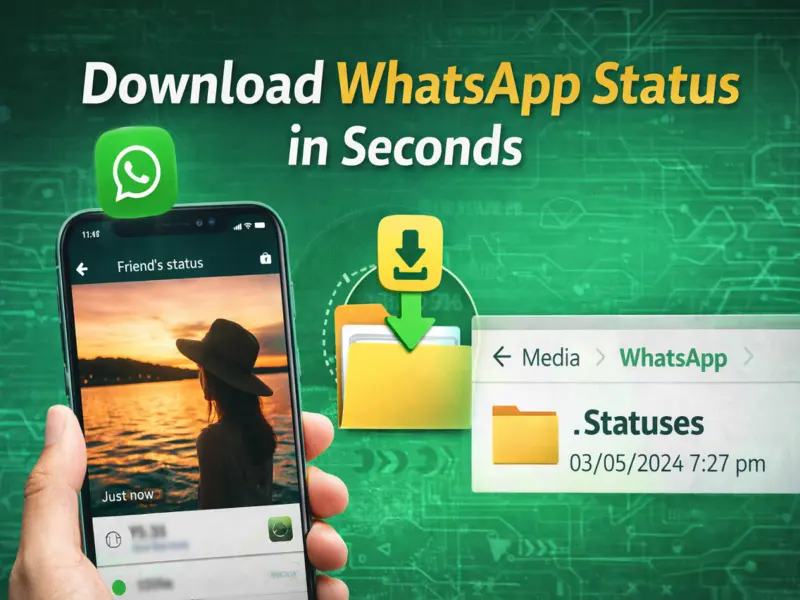

The Status feature on WhatsApp has become one of the most popular ways to share moments with friends and family. Whether it's a photo, video, or short update, users post content that disappears automatically after 24 hours.
But what if you want to save a status shared by someone? While WhatsApp doesn't offer a direct download option, there are simple and effective ways to save your favorite status on your phone.
Here's a complete guide to help you download WhatsApp Status quickly and safely.
What Is WhatsApp Status?
WhatsApp Status allows users to share photos, videos, GIFs, and text updates that stay visible for 24 hours. This feature is similar to stories on platforms like Facebook and Instagram.
Every time you view someone's status, the content is temporarily stored on your device. This is where the trick lies.
Method 1: Download Status Using File Manager (No App Needed)
This is the safest and most recommended method.
Step 1: Open File Manager
Go to the file manager app on your smartphone.
Step 2: Enable Hidden Files
- Open Settings in the file manager
- Turn on the option 'Show Hidden Files' or 'Unhide Files'
Step 3: Locate WhatsApp Folder
Navigate to:
Internal Storage > WhatsApp > Media
Step 4: Open '.Statuses' Folder
Inside the Media folder, you will find a hidden folder named '.Statuses'
Step 5: Copy Desired File
- Open the folder
- Select the photo or video you want
- Copy it to another folder (like Gallery or Downloads)
Now your favorite status is saved permanently.
Why This Method Works
Whenever you watch a status on WhatsApp, it gets temporarily stored in your phone's hidden storage. By accessing this folder, you can retrieve the files before they disappear after 24 hours.
Method 2: Using Third-Party Apps (Optional)
There are several apps available on the Play Store that allow you to download WhatsApp Status easily.
However, keep in mind:
- These apps are not officially supported by WhatsApp
- They may require access to your storage and data
- Privacy risks may be involved
It's always safer to use the manual file manager method.
Important Tips Before Downloading Status
- Always respect the privacy of others
- Take permission before saving or sharing someone's content
- Avoid downloading sensitive or personal media
- Be cautious while using third-party apps
Can You Download Status on iPhone?
Unlike Android, iPhones do not allow easy access to hidden folders. iOS users may need:
- Screen recording
- Third-party apps (with caution)
Final Thoughts
Downloading WhatsApp Status is simple if you know where to look. By using your phone's file manager, you can easily save photos and videos without installing any extra apps.
The WhatsApp Status feature continues to be a favorite among users, and with this trick, you won't miss saving any memorable moments shared by your contacts.