




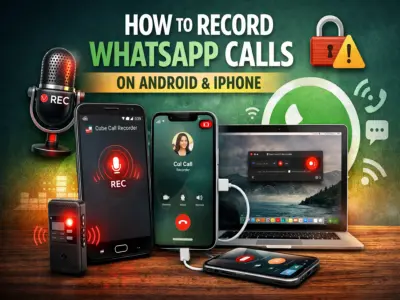

Recording calls on WhatsApp can be useful in situations like interviews, important discussions, or saving key conversations. However, unlike regular phone calls, WhatsApp does not offer a built-in call recording feature.
Still, there are a few alternative methods you can use on Android and iPhone devices.
⚠️ Important Note: Always inform the other person before recording a call. Recording without consent may be illegal or unethical in many regions.
Can You Record WhatsApp Calls Directly?
No, WhatsApp currently does not provide an official option to record voice or video calls. This is mainly due to privacy and security concerns.
However, you can still record calls using third-party apps or external tools.
Method 1: Record WhatsApp Calls on Android (Using App)
One of the most popular ways is using apps like:
- Cube Call Recorder (supports VoIP calls)
Steps to Follow:
- Download and install Cube Call Recorder from the Play Store
- Open the app and grant necessary permissions
- Open WhatsApp
- Make a call to the desired contact
- If the recording widget appears during the call, recording is active
If It Doesn't Work:
- Go to app settings
- Enable 'Force VoIP Call' option
- Retry the call
Note: This method works only on supported devices, not all smartphones.
Method 2: Record WhatsApp Calls on iPhone (Using Mac)
For iPhone users, recording can be done via a Mac using QuickTime Player.
Steps:
- Connect your iPhone to Mac using a Lightning cable
- Tap 'Trust This Computer' on your iPhone
- Open QuickTime Player on Mac
- Click on File → New Audio Recording
- Select iPhone as the audio source
- Start recording in QuickTime
- Make a WhatsApp call
- End recording and save the file on your Mac
Method 3: Alternative (Speaker + Voice Recorder)
If the above methods don't work, you can use a simple workaround:
- Put your call on speaker
- Use another phone or recorder to capture the conversation
This method works universally but may reduce audio quality.
Advanced Option (Not Recommended)
Some Android users may try:
- Rooting the device
- Using advanced screen recorders
⚠️ This is not recommended, as it can:
- Compromise device security
- Void warranty
- Cause system instability
Why Recording WhatsApp Calls Is Difficult
WhatsApp uses VoIP (Voice over Internet Protocol) technology, which makes recording more complex compared to traditional calls. Device compatibility and privacy restrictions also limit functionality.
Key Tips to Remember
- Always take consent before recording
- Check device compatibility before installing apps
- Avoid risky methods like rooting
- Use trusted apps only
Final Thoughts
While WhatsApp doesn't officially support call recording, these workarounds can help you capture important conversations when needed. Just make sure to follow legal guidelines and prioritize privacy.