




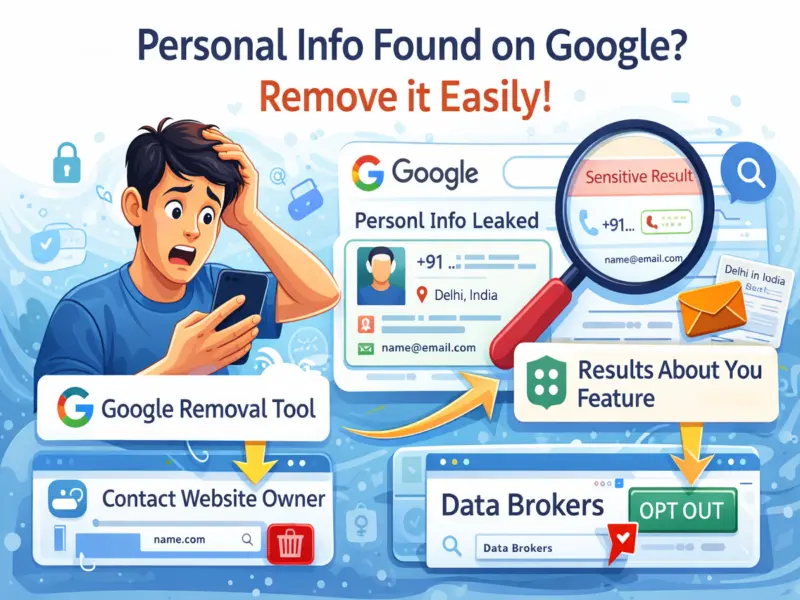

In today's digital world, Google has become the go-to platform for finding information. However, many users are often surprised to discover that their personal details—such as phone numbers, email addresses, or even home addresses—can appear in search results without their direct knowledge.
While this may sound alarming, the situation is manageable. Google provides several tools and options that allow users to take control of their data and request its removal from search listings. Here's a complete guide on how to protect your privacy and remove sensitive information from Google.
Why Your Personal Information Appears on Google
It's important to understand that Google does not create or host your personal data. Instead, it indexes content available on various websites across the internet. If your information is published on any public platform, it may show up in search results.
This means that removing data from Google Search often requires action on both Google and the original website where the information is hosted.
Use Google's Official Removal Tool
One of the easiest ways to begin is by using Google's official content removal tool. This feature allows users to request the removal of sensitive personal information from search results.
Steps to follow:
- Visit Google's support or removal request page
- Select the type of information you want to remove (phone number, email, address, etc.)
- Submit the relevant URLs where your data appears
- Upload screenshots as proof
Once submitted, Google reviews the request and may remove the content from search results if it meets their policies.
Try the 'Results About You' Feature
Google also offers a user-friendly feature called 'Results About You', designed to make the process faster and more accessible.
Here's how to use it:
- Search your name on Google
- Click on the three-dot menu next to any result
- Select the 'Remove Result' option
This tool simplifies the removal request process and helps you quickly flag unwanted results.
Contact the Website Owner Directly
Since Google only displays content and does not host it, removing search results alone may not be enough. If your personal data still exists on the original website, it can reappear in search listings later.
To ensure complete removal:
- Identify the website where your data is published
- Contact the site owner or administrator
- Request them to delete your personal information
This step is crucial for long-term privacy protection.
Opt Out from Data Broker Websites
Certain platforms, known as data broker websites, collect and publish personal details like phone numbers, addresses, and more. These sites can be a major source of privacy concerns.
To protect yourself:
- Visit such websites individually
- Look for options like 'Opt-Out' or 'Remove My Information'
- Follow their process to request data removal
Although this process may take time, it significantly reduces your online exposure.
Secure Your Social Media Accounts
Social media platforms are another common source of personal information leaks. Reviewing and updating your privacy settings can help prevent your data from being publicly visible.
Key actions to take:
- Set your profiles to private where possible
- Remove posts or tags that reveal sensitive details
- Avoid sharing personal contact information publicly
Final Thoughts
Finding your personal information on Google can be unsettling, but it's not something you're powerless against. By using Google's tools, contacting website owners, and managing your online presence carefully, you can regain control over your digital identity.
Staying proactive about your online privacy is essential in today's connected world. A few simple steps can go a long way in keeping your personal information safe and secure.