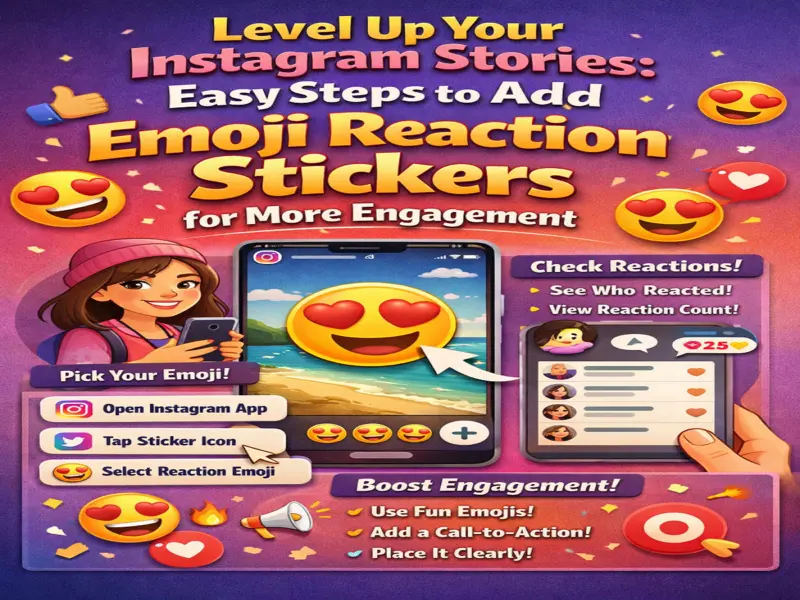

Want to make your stories more engaging and interactive? Instagram offers a fun feature called emoji reaction stickers, allowing your followers to react instantly with just a tap.
This feature not only boosts engagement but also helps you understand your audience's response in real time. Here's a complete, step-by-step guide to using emoji reaction stickers on Instagram Stories.
What Are Emoji Reaction Stickers?
Emoji reaction stickers are interactive elements you can add to your story, enabling viewers to respond using a single emoji instead of typing messages.
Benefits:
- Encourages quick interaction
- Makes stories more dynamic
- Helps measure audience reactions
- Adds a playful touch to content
Step-by-Step: Add Emoji Reaction Sticker to Instagram Story
Follow these simple steps:
- Open the Instagram app
- Swipe right to open the Story camera
- Capture or upload your photo/video
- Tap the Sticker icon at the top
- Select the emoji reaction sticker (heart-eyes icon)
Select Your Emoji
- Instagram shows a few default emojis
- Tap the '+' icon to explore more
- Choose the emoji you want users to react with
You can pick any emoji that best fits your content.
Place and Share Your Story
- Drag the sticker to your desired position
- Resize it if needed
- Tap Your Story to post
Your followers can now tap the emoji to react instantly.
How to Check Reactions
Once your story is live:
- Swipe up on your story
- View:
- Number of reactions
- List of users who reacted
This gives you quick insights into audience engagement.
Tips to Get More Reactions
- Use popular emojis like ❤️, ,
- Place the sticker in a visible area
- Add a call-to-action (e.g., 'Tap if you agree!')
- Combine with polls or questions
Final Thoughts
Emoji reaction stickers are a simple yet powerful way to make your Instagram stories more interactive. With minimal effort, you can turn passive viewers into active participants.
Quick Tip
Keep your emoji choice relevant—when it matches your content, engagement naturally increases!