
WhatsApp is one of the most widely used messaging platforms in the world, connecting billions of users daily through chats, voice calls, and video calls.
However, the platform's popularity also makes it a target for scammers, hackers, and privacy threats. To keep personal conversations, media, and data safe, it is important for users to follow certain security practices.
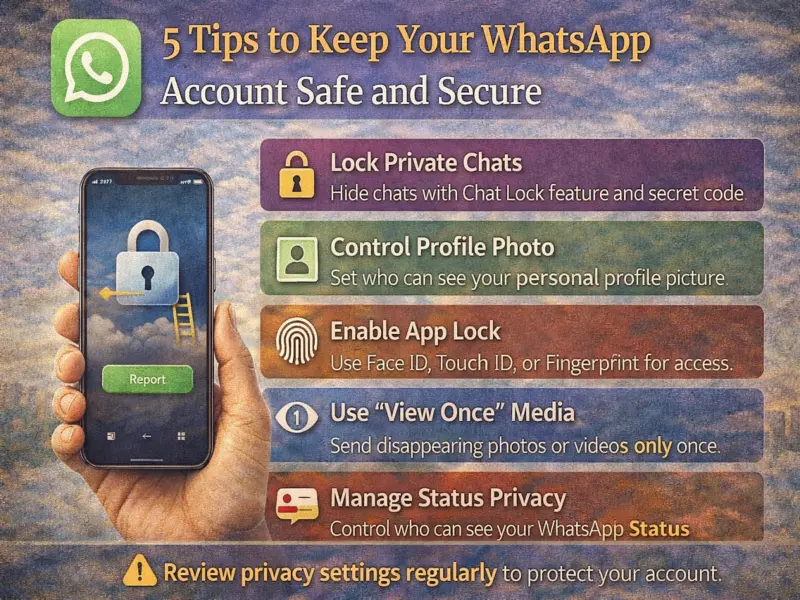
Here are five important tips that can help strengthen the security of your WhatsApp account and protect your privacy.
1. Use Chat Lock for Private Conversations
WhatsApp offers a Chat Lock feature that allows users to protect sensitive conversations with an additional layer of security. Once enabled, locked chats are moved to a separate folder called Locked Chats, which is hidden from the main chat list.
How to lock a chat
On Android and iOS
- Swipe left on the chat or tap and hold the chat.
- Tap More options.
- Select Lock Chat.
On Web or Windows
- Right-click on the chat.
- Select Lock Chat.
When chat lock is enabled, WhatsApp automatically hides the conversation and closes it when the device is locked. You can also set a secret code to access locked chats.
2. Manage Who Can See Your Profile Photo
Your profile photo is visible in message notifications and chats, which means people who receive messages from you may see it. To maintain privacy, WhatsApp allows you to control who can view your profile picture.
How to change profile photo visibility
Android
- Open Settings
- Tap Privacy
- Select Profile Photo
- Choose one of these options:
- Everyone
- My Contacts
- My Contacts Except…
- Nobody
iPhone (iOS)
- Go to Settings
- Tap Privacy
- Select Profile Photo
- Choose your preferred visibility option.
Adjusting these settings can help prevent strangers from accessing your personal profile image.
3. Enable App Lock with Face ID or Fingerprint
For additional security, WhatsApp offers an App Lock feature that requires biometric authentication before opening the app.
Depending on your device, you can unlock WhatsApp using:
- Fingerprint or face recognition on Android
- Touch ID or Face ID on iPhones
- Password protection on Web or desktop versions
Even when the app is locked, users can still reply to messages through notifications and answer incoming calls.
4. Use 'View Once' for Private Media
WhatsApp provides a feature called View Once, which allows users to send photos, videos, or voice messages that disappear after being opened once.
This feature helps improve privacy because:
- The media will not be saved in the recipient's gallery or photos.
- Recipients cannot take screenshots or screen recordings of the content.
Using View Once is especially useful when sharing sensitive images or temporary information.
5. Control Who Can See Your WhatsApp Status
WhatsApp also allows users to customize the audience for their Status updates.
By default, status updates are visible to all contacts. However, you can adjust your privacy settings to limit who can view them.
Users can:
- Share status updates with selected contacts only
- Exclude specific contacts from viewing their status
- Mention individuals or groups in a status update
Keep in mind that people mentioned in your status may reshare the content with their own audience.
Stay Safe While Using WhatsApp
Following these security measures can significantly reduce the chances of hacking attempts, scams, or privacy breaches. Simple steps like enabling app lock, controlling profile visibility, and using View Once media can help ensure your conversations remain private.
As online threats continue to evolve, regularly reviewing your WhatsApp privacy settings is one of the best ways to keep your account secure.
Disclaimer: This article is for informational purposes only. Users should check official WhatsApp settings and updates for the latest security features and privacy options.