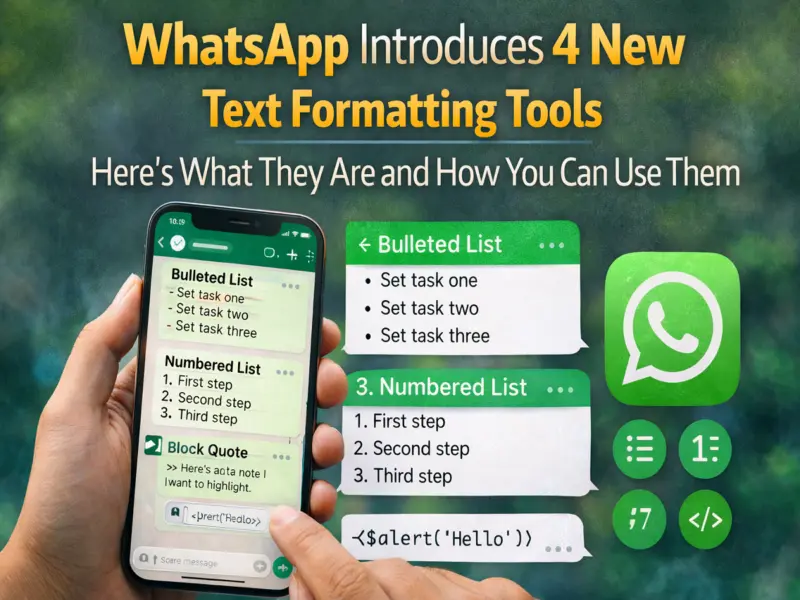

WhatsApp has rolled out several new text formatting tools designed to make conversations clearer and more organised. The update introduces four additional formatting options that allow users to structure their messages more effectively, especially in group chats and professional discussions.
The announcement about these features was shared by Mark Zuckerberg on his WhatsApp Channel. According to the company, the new formatting options are aimed at helping users communicate more efficiently while saving time when writing messages.
With these tools, users can highlight important information, organise instructions, or present lists in a cleaner way within chats.
New WhatsApp Formatting Tools Now Available Across Platforms
WhatsApp confirmed that the newly introduced formatting features are available on multiple platforms, including:
- Android smartphones
- iPhones (iOS devices)
- WhatsApp Web
- Desktop versions for Mac and other computers
Additionally, channel administrators can also use these formatting options while posting updates to their followers.
These tools expand the existing formatting options already available on WhatsApp, such as bold, italic, strikethrough, and monospace text.
The Four New Text Formatting Options on WhatsApp
The update introduces four new ways to format text messages. Each option has a specific purpose and shortcut that makes it easy to use while typing.
1. Bulleted Lists
The bulleted list option helps users present information in a clear list format. This can be useful when sharing steps, ingredients, reminders, or multiple points in a message.
To create a bulleted list:
- Type the dash symbol (-)
- Add a space after it
- Start typing your text
Example:
- Step one
- Step two
- Step three
This feature is particularly helpful when sharing instructions or organising ideas in group chats.
2. Numbered Lists
The numbered list formatting option allows users to present information in a specific order. This is ideal for instructions, step-by-step guides, or summarising events.
To create a numbered list:
- Type a number (such as 1 or 2)
- Follow it with a period (.) and a space
Example:
- Open the app
- Go to settings
- Update your profile
This option ensures that messages remain easy to read and logically structured.
3. Block Quote
The block quote feature highlights important text within a conversation. It visually separates the selected text from the rest of the message, making it easier to notice.
To use block quotes:
- Type the greater-than symbol (>)
- Add a space and then type the message
Example:
This is an important note for everyone in the group.
This option is especially useful for emphasising key statements or referencing someone's previous message.
4. Inline Code
The inline code formatting option is designed to highlight specific pieces of text within a sentence. It is particularly helpful when sharing commands, technical terms, or code snippets.
To apply inline code formatting:
- Wrap the text with the backtick symbol (`)
Example:
Use the command restart to reload the system.
This formatting makes the highlighted text stand out clearly within the message.
Existing WhatsApp Formatting Options
These new features are added on top of the formatting options that WhatsApp users already have. The previously available text styles include:
- Bold text
- Italic text
- Strikethrough text
- Monospace text
Together with the newly introduced options, WhatsApp now offers more flexibility for structuring messages.
Why These Features Matter
Messaging apps are increasingly used for work discussions, study groups, and community coordination. Clear communication in such environments is essential.
By introducing these formatting options, WhatsApp enables users to organise information more effectively and make messages easier to read. Whether you are sharing meeting notes, instructions, or reminders, these tools help ensure that important details stand out.
For frequent WhatsApp users, especially those managing group chats or channels, these formatting features can significantly improve how messages are presented and understood.