




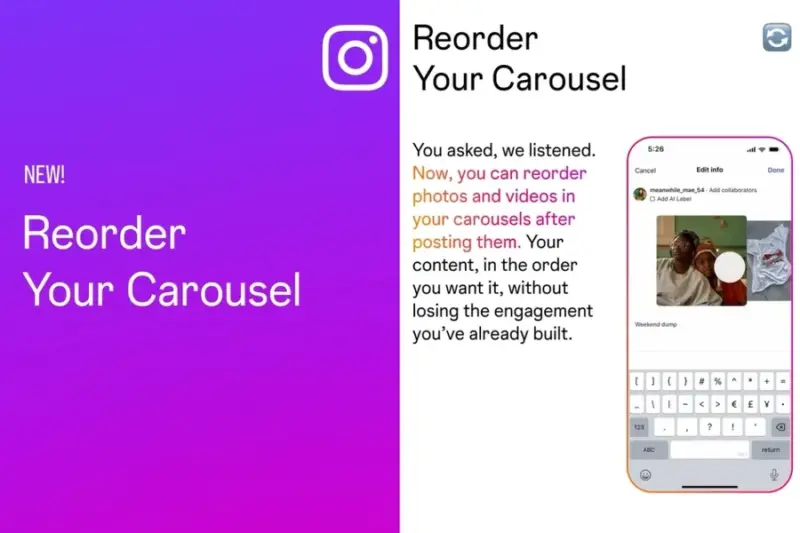

In a move that spells the end of the "delete and repost" era, Instagram has officially rolled out a feature allowing users to reorder carousel slides after they have been published.
The update, which began appearing for users this week, addresses one of the platform's most persistent pain points: the inability to fix a sequencing error without losing the post's accumulated likes, comments, and engagement.
The End of "Post Regret"
Until now, the order of an Instagram carousel-a post containing up to 20 images or videos-was locked the moment the "Share" button was pressed. If a creator realised their "hook" was on the second slide or a photo was out of place, their only recourse was to delete the entire post and start over.
"This is the fix creators have been asking for forever," says social media strategist Megan Lamb. "Strategically, this opens the door to refreshing older content. If a post is getting recycled traffic, you can now move a stronger image to the front to give it a second wind."
How It Works
The reordering process is integrated directly into the existing post-editing menu. To rearrange a live carousel:
- Navigate to your post and tap the three dots (...) in the top-right corner.
- Select Edit.
- Long-press on a photo or video slide.
- Drag and drop the media into the desired position.
- Tap Done to save the new sequence.
Strategic Implications
Beyond simply fixing mistakes, the update offers several tactical advantages for brands and influencers:
- A/B Testing Hooks: Creators can now swap the cover image of a live post to see if a different visual improves the "swipe-through" rate.
- Dynamic Storytelling: For news or event-based carousels, users can move the most recent or relevant updates to the front of the pack.
- Grid Aesthetics: Users can change the cover image of a carousel to better match their overall profile grid without losing the post's history.
What You Still Can't Do
While the update is a significant leap in flexibility, it does have its limits. Users cannot add new media to a carousel once it is live, nor can they swap an existing image for a completely different file. Additionally, the aspect ratio of the carousel remains tethered to the very first slide; reordering does not allow you to change the crop of the entire set.