
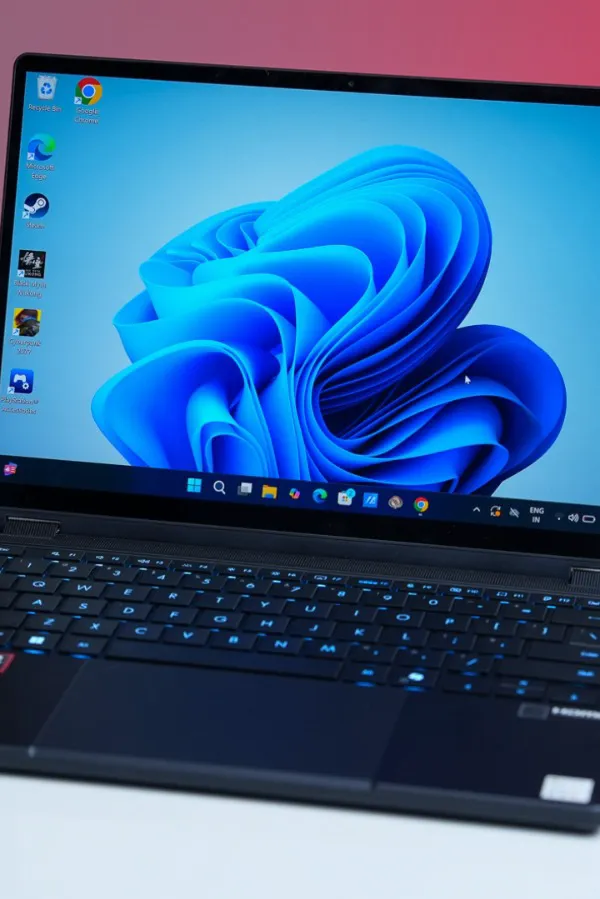

Creator laptops are a tricky space right now. Everyone's chasing that MacBook Pro formula, but very few Windows machines actually get close.
Asus has been one of the few consistently trying to crack it, and with the ProArt GoPro Edition PX13, it feels like they're getting very close.
This isn't just another spec-heavy Windows laptop. It's clearly built with creators in mind, from the hardware to the software to even the way it looks. And while the GoPro branding might seem a bit niche at first, the idea here is simple, a powerful, portable machine that can handle serious creative work without feeling like a compromise.
 © Hook.Online
At a starting price of ₹3,34,990, this isn't playing in the casual upgrade zone. This is proper investment territory. Which makes the real question pretty straightforward, does it actually justify that price?
Asus ProArt GoPro Edition PX13 Design: Rugged, Unique, and Very GoPro
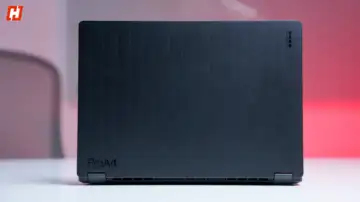
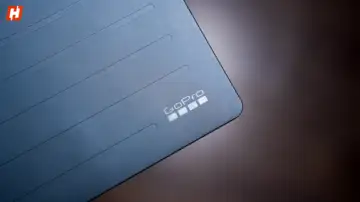
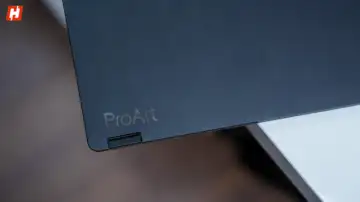
The ProArt GoPro Edition is basically a compact 13-inch laptop cosplaying as a GoPro… and committing hard. You get an all-metal chassis with this "Nano Black" coating that actually resists fingerprints, and a design that's straight-up action cam inspired. The lid has these etched vertical lines, the hinges have fine ridges, and even the area above the keyboard mimics a GoPro's facade. It's bold, maybe a little aggressive, and very clearly built for people who don't baby their tech.
 © Hook.Online
And yeah, it actually looks cool… mostly.
Because once you look closer, it's not all perfect. Some of the plastic elements around the keyboard area feel a bit cheaper than the rest of the build, which slightly breaks that premium vibe. And that single Nano Black colorway is clean, sure, but also a little safe for something this expressive.
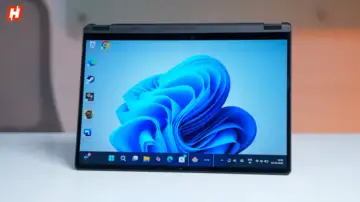
That said, the overall build still holds up. It's rugged without looking like a toolbox. Slim too, around 0.62 to 0.7 inches, though slightly thicker than a MacBook Pro. At 1.39 kg, it's not featherlight, but still portable. The hinge is smooth, opens with one finger, and since it's a full 360-degree convertible, you can flip it into tent or tablet mode whenever needed.
And it's built to survive your bad decisions. MIL-STD 810H durability means it can take bumps, rough weather, vibrations, all of it. You've got vents on the sides, a big one underneath, plus raised bumpers to keep airflow clean. It's basically ready for outdoor shoots without babying it.
There are also a few extra touches here that are interesting. The dedicated GoPro hotkey sits in the function row, highlighted in blue and very hard to miss. It pulls up the GoPro Player app instantly, which is useful if that's your workflow, but it does feel a bit like Asus really wants you to remember the partnership every time you look down.
Ports are actually pretty well stacked too. You get two USB 4.0 Gen 3 Type-C ports with support for display output and power delivery (up to 40Gbps), a USB 3.2 Gen 2 Type-A (10Gbps), HDMI 2.1 FRL, a 3.5mm combo audio jack, and a dedicated DC-in port. So yeah, in terms of raw connectivity, it's doing well.
You also get a microSD 4.0 card reader, which fits the whole GoPro-first approach. But here's the catch, and it's hard to ignore - no full-size SD card slot. For a creator laptop, that feels like a strange omission. Most cameras still rely on full-size SD cards, so now you're back to carrying dongles or adapters. Not a dealbreaker, but definitely a miss.
For wireless, you're getting Wi-Fi 7 and Bluetooth 5.4, so connectivity on that front is solid.
Asus ProArt GoPro Edition PX13 Display: A Gorgeous OLED With a Few Trade-offs
Open the lid, and the whole rugged, GoPro-core vibe fades into the background… because that display takes over instantly.
This 13.3-inch 3K OLED touchscreen (2880×1800, 16:10) is just rich. Colors pop without looking fake, contrast is deep, and everything feels sharp and clean. You're getting 100% DCI-P3 coverage, Pantone validation, and that classic OLED advantage with true blacks and a massive 1,000,000:1 contrast ratio. It can also push up to 1.07 billion colors, so whether you're editing or just watching content, it looks properly dialed in.
 © Hook.Online
Watching something like Dune: Part Two or any high-contrast, color-heavy footage just hits differently here. Shadows have depth, highlights don't blow out, and overall, it's a panel you can actually trust for creative work.
Now, I do like the smaller 13-inch form factor, it makes the whole machine feel more portable and easy to use. But at the same time, for a laptop that's clearly targeting creators and video editors, it can feel a bit limiting. Even in my own editing, I felt that lack of screen real estate pretty quickly. A 16-inch option alongside this would've made a lot of sense.
Brightness is also decent, not standout. Asus claims up to 500 nits in HDR, but in real use, it sits lower most of the time. Indoors, perfectly fine. Push it into brighter environments, and you'll find yourself maxing it out more often than you'd like. The anti-reflective coating helps a bit, but it doesn't fully solve the issue.
 © Hook.Online
And then there's the refresh rate, locked at 60Hz.
For a laptop in this price range, that feels dated. No 90Hz, no 120Hz, just standard 60Hz. It's fine when you're editing timelines or doing precision work, but general navigation doesn't feel as fluid as it should in 2026.
Asus ProArt GoPro Edition PX13 Bundle: Useful Add-ons or Just Extra Weight?
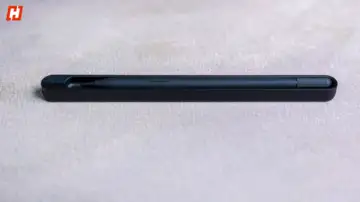
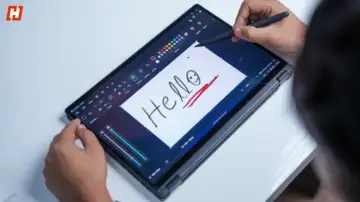
Asus is throwing in a bunch of extras here, which makes sense given the price. You get the Asus Pen 3.0, which is a really solid add-on. It's light, looks clean in that all-black finish, and just glides across the screen effortlessly.
 © Hook.Online
The pressure sensitivity is on point, and tracking feels precise enough that even small strokes come out exactly how you intend. For note-taking or sketching, it's genuinely one of the better pens I've used.
I'm not exactly the most creative person, so I handed it over to my wife for a bit, and she absolutely loved it. For sketching and finer edits, she said it felt natural and super responsive, which says a lot. And paired with the 2-in-1 form factor, it just makes sense. Flip it into tablet mode, and suddenly this becomes a much more versatile canvas instead of just a laptop.
That said, there are a couple of small misses.
There's no magnetic attachment on the laptop itself, which feels like a strange omission at this price. You can't just snap it on and forget about it like you would on some other devices. Instead, you're relying on the carry case to store it.
Charging is also handled through a separate wireless charging dock, which works fine, but again, it feels slightly out of sync with the rest of the laptop. Having to carry an extra accessory just to charge your pen isn't the most elegant solution.
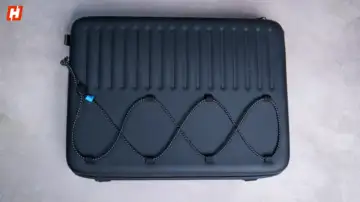
Then there's the carrying case. It's a large, hard-shell bag with a rugged look, bungee cords on the outside, and elastic straps inside to hold your gear. There's a dedicated flap for the laptop, and alongside it, you can squeeze in your GoPro and a few small accessories as well. It can also open up flat to double as a makeshift work surface, which is a neat idea.
 © Hook.Online
But in practice, it's not the most practical. Space is limited, things don't feel as secure as they should, and it's not great for organizing multiple accessories. It looks cool, but a good backpack would honestly do a better job.
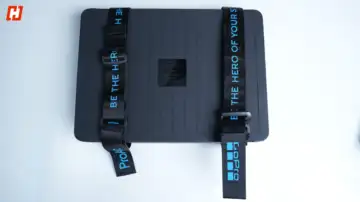
Interestingly, the laptop box itself might be more useful. It comes with straps so you can carry it like gear, and inside you get customizable foam inserts to shape compartments for your stuff. It's a bit DIY, but actually more functional if you set it up right.
 © Hook.Online
Asus ProArt GoPro Edition PX13 Keyboard & Trackpad: Super Comfy
The keyboard is one of those things you don't think about after five minutes, which is exactly what you want. It's got this soft, slightly springy feel that makes typing easy, even on a compact 13-inch chassis where things can usually feel a bit cramped. Here, it doesn't.
Spacing is comfortable, feedback is satisfying, and it just feels dialed in. You also get blue backlighting, which adds a bit of flair, and a dedicated GoPro shortcut key that instantly launches the GoPro Player app for quick access to footage. It's a nice touch that carries the GoPro partnership through the experience, and that key itself is highlighted in blue, so it stands out without feeling overdone.
 © Hook.Online
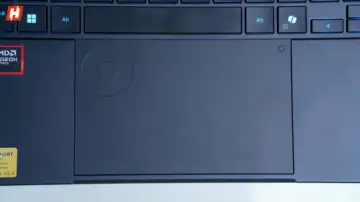
The touchpad is large, smooth, and very responsive, no complaints there. But the interesting bit is Asus' DialPad tucked into the corner. Think of it like a hidden control wheel built into the trackpad. You can use it for adjusting volume, tweaking brush sizes, or scrubbing through timelines and videos.
What's nice is that it's not forced on you. You can swipe to activate it, swipe again to turn it off, and when it's off, it completely disappears into the touchpad. And if you spend time customizing it, especially in apps like Premiere Pro or Photoshop, it can actually become pretty useful.
 © Hook.Online
Still, it sits in that space where it feels clever, but not essential. The kind of feature you might ignore at first, then randomly start using one day and wonder why you didn't earlier.
Asus ProArt GoPro Edition PX13 Performance: Is This the Most Powerful Creator Laptop?
Under the hood, this thing is kind of ridiculous.
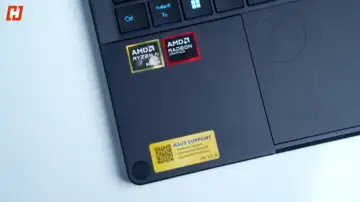
You're getting the AMD Ryzen AI Max+ 395, a 16-core, 32-thread chip built on a 4nm process, clocking up to 5.1GHz. There's also AMD's XDNA NPU pushing up to 50 TOPS for AI workloads. It's paired with a Radeon 8060S GPU with 40 compute units, which AMD says is in the ballpark of an RTX 4060. And honestly, in a lot of real-world use, it feels like it.
Then there's the memory. 128GB of unified LPDDR5X RAM... Yeah. 128GB.
It's soldered and shared between the CPU and GPU, which sounds excessive until you actually start using it. Multitasking is effortless. Heavy timelines, multiple apps, background processes, it just keeps going. And if you're into AI workflows, you can even allocate up to 96GB to the GPU for running larger models locally. That's wild for a laptop this size.
 © Hook.Online
Storage is a 1TB PCIe 4.0 SSD, with speeds around 6.5GB/s read and 5.8GB/s write. Not cutting-edge, but easily fast enough for 4K and even 8K workflows.
In real use, this translates to a seriously capable creator machine. Editing in Premiere Pro or handling high bitrate footage, everything runs smoothly. Exports are quick, and playback is clean even with heavier codecs like H.265.
And if you're working on heavier projects, scrubbing through multi-layer timelines stays fluid and render times benefit from that GPU doing a lot of the heavy lifting. Pair that with 128GB of RAM, and you can comfortably run Premiere Pro, After Effects, Photoshop, plus a browser with way too many tabs open, without things slowing down.
Benchmarks back it up, too:
• Geekbench 6 (Single-core): 2,925
• Geekbench 6 (Multi-core): 18,116
• Cinebench R24 (Multi-core): 1521
• Cinebench R24 (Single-core): 118
• Cinebench R23 (Multi-core): 27,231
• Cinebench R23 (Single-core): 2,102
• 3DMark Steel Nomad (GPU): 1,852
Gaming is also surprisingly strong for a machine like this. Cyberpunk 2077 runs at around 81 fps at 1080p and about 60 fps at 1440p on Ultra settings, which is genuinely impressive for a creator-first laptop without a traditional high-end discrete GPU.
That said, it's not perfect. Push it with heavier effects like OpenFX or stabilization, and you'll start to feel the limits of not having a full discrete GPU. And under load, the fans kick in pretty aggressively. It gets loud, and battery life drops quickly if you're not plugged in. Plus,for serious video work, 1TB fills up fast. Most creators will end up relying on external drives anyway, which honestly makes more sense for managing large footage libraries.
Asus ProArt GoPro Edition PX13 AI Software: Useful Tools or Just Hype?
Asus has also loaded this with a bunch of AI-led features, both from Windows and its own ecosystem.
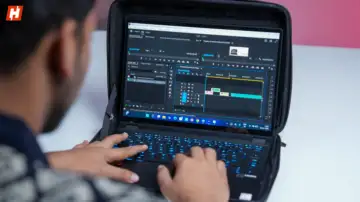
You've got apps like StoryCube, which quietly does a lot of heavy lifting in the background. It uses AI to sort through your photos and videos, recognise faces, and organise everything automatically. If you're dealing with a lot of footage, it genuinely saves time. On this GoPro Edition, it also links into GoPro Cloud, so your clips feel a bit more connected across devices.
 © Hook.Online
Then there's GlideX, which is probably the more practical tool day to day. It lets you mirror or extend your screen to other devices, transfer files wirelessly, or even access your phone remotely. It's one of those features that doesn't sound exciting, but ends up being surprisingly useful once you start using it.
You also get MuseTree, Asus' built-in AI image generator. It's there if you want to play around with AI visuals, but it feels more like an extra than something core to the experience.
 © Hook.Online
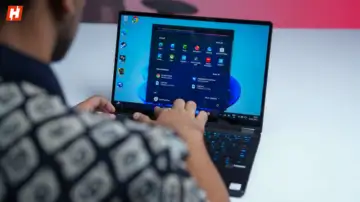
Underneath all of this, the laptop is a Copilot+ PC, powered by the Strix Halo chip. So you get the usual Windows AI features too, things like image generation in Photos and Paint, along with webcam tricks like background blur, auto-framing, and eye contact correction. Nothing you haven't seen before, but it all runs smoothly here.
Asus ProArt GoPro Edition PX13 Battery Life: Power Hungry, No Surprises
Battery life is where things feel a little…average.
You're getting a 73Wh cell here, which sounds decent on paper, especially for a machine with this kind of power and a high-res OLED panel. And with light use, a few apps open, some browsing, you're looking at roughly 7 to 8 hours, which is fine.
But push it even a little, and it drops fast.
Start editing 4K video or jump into gaming, and it struggles to get anywhere close to that. In heavier use, it dips toward the 5 to 6 hour mark, sometimes even less, depending on how hard you're pushing it. So yeah, this is very much a "keep the charger nearby" kind of laptop.
 © Hook.Online
The good news is that the charger is quick. Asus bundles a chunky 200W brick, and it refuels the laptop pretty fast. You can get to around 50% in just under 30 minutes, and a full charge takes about 72 minutes. So even if you do run it down, you're not stuck waiting around forever.
Still, for a machine this powerful, a bit more endurance would've really completed the package.
Asus ProArt GoPro Edition PX13 Verdict: Should You Buy It?
The Asus ProArt GoPro Edition PX13 is easily one of the most powerful creator laptops on the Windows side right now. That Ryzen AI Max+ chip paired with 128GB RAM makes it a beast for editing, multitasking, and even AI workflows.
There's a lot to like. The OLED display looks great, the keyboard is excellent, ports are well covered, and the rugged, 2-in-1 design with stylus support adds real flexibility. It's a unique machine that actually stands out.
 © Hook.Online
But it's not perfect. Battery life leaves a lot to be desired, the 60Hz display feels dated, and the 13-inch screen can feel limiting for serious editing.
For most video editors, the MacBook Pro 14-inch with the M4 Pro chip is still the more well-rounded choice. But if you want raw power, tons of RAM, and a versatile Windows machine, this gets very close.
Just keep in mind that the ProArt GoPro Edition is priced at ₹3,34,990. This isn't just expensive, it's commitment-level expensive. If you're all in, it'll reward you. But it definitely expects the same energy back.