
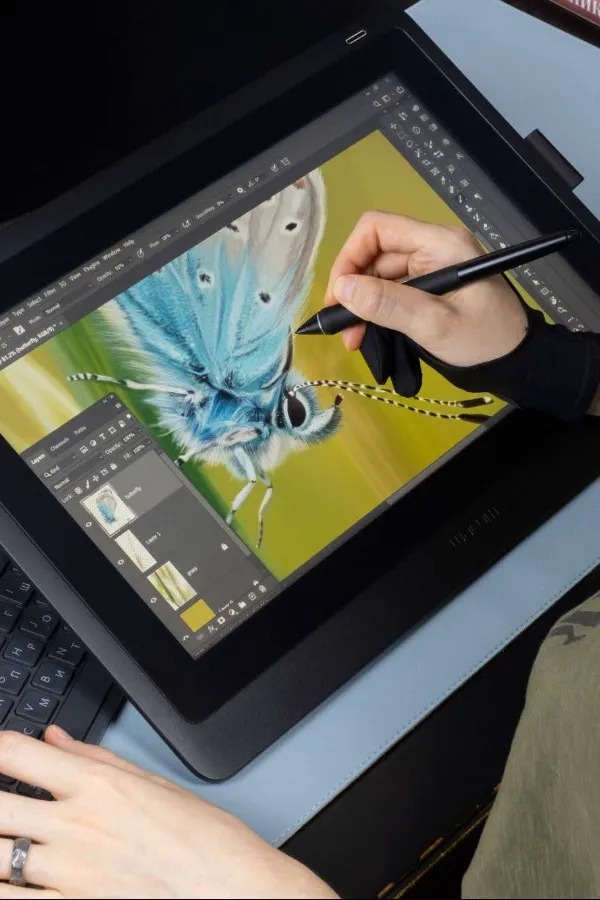

AI-powered photo and video editing tools have revolutionised how content is being made online - from enhancing and upscaling photos to removing backgrounds in seconds, and even in generating video content within just seconds.
Whether you're running a social media account for a brand, managing a marketing campaign, or even building a digital presence for your own personal brand, generative AI tools are here to seriously strengthen your output, and keep you active online with scalable content development processes.
It's important to note, however, that there are a wide variety of AI photo editing tools to select from today - and not all of them will fit with your existing content and publishing workflows. So how do you find the right AI image editors to add to your armory as a digital-era designer and photographer?
In this guide, we compare five of the most popular AI photo-editing tools for social media, breaking down their strengths and ideal use cases to help you find the right creative fit.
Top 10 AI Photo Editing Tools for Social Media
Here are ten of the best AI-powered photo editors available today, each suited to different types of users and content needs.
Adobe Photoshop (with Adobe Firefly)
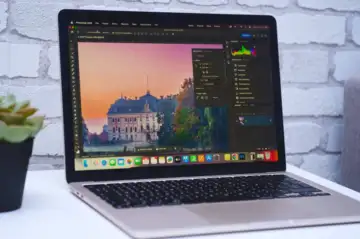 Adobe Photoshop
Adobe Photoshop remains the industry gold standard and is one of the most powerful image-editing tools available on the market today. Alongside reigning supreme as a must-add for CV skills across graphic designers and photographers, Photoshop and the wider Creative Cloud suite now boasts the added value of Adobe Firefly integration, Firefly being Adobe's very own creative generative AI platform.
Creative tools like Firefly's AI image upscaler, generative fill, object removal, and smart selection allow Adobe users to make complex edits quickly and accurately with seamless integration across workflows. Users can take advantage of Firefly tools directly from within the Firefly platform (across web, desktop, or mobile), or even by using the integrated Firefly features across the Creative Cloud suite.
The ability to work cross-platform and across various devices makes Photoshop's new AI features a must-have for social media managers and digital marketing strategists.
Adobe Photoshop Summary
Strengths: Industry-leading tools with advanced AI capabilities.
Best used for: Professional designers, agencies, and high-end content creation.
Fotor
Offering easy, one-click enhancements, filters, and batch editing, Fotor is an ideal tool for photographers looking to work with large batches of edits - think event photographers like wedding photographers, or even social media managers working across a very well-defined aesthetic and across a tight content calendar. When it comes to automated editing that's consistently reliable, Fotor sets a strong benchmark.
The Fotor platform also offers a clean, minimalistic UI with click-and-drag design capabilities that are easy to master, allowing users to quickly select from preset templates or even customise their own templates to ensure quick edits aligned with brand guidelines. Plus, with the option to establish multiple folders within the Fotor design hub, makes it easy to keep track of design iterations.
Fotor Summary
Strengths: Easy to use with efficient batch processing.
Best used for: Beginners and users handling high volumes of content.
Luminar Neo
Developed by Skylum and fitted with a wide catalogue of industry-grade AI tools, Luminar Neo is an intuitive editor suite that offers improved creative control through its intuitive layers-based system, slider adjustments, and plethora of familiar and innovative editing features.
Alongside the usual colour, tint, saturation, and other photo editing features, Luminar Neo also boasts proprietary AI tools like Sky AI (automatic sky replacement), Portrait Bokeh AI, and Relight AI to add three-dimensional depth to two-dimensional images. This last feature naturally makes Luminar Neo a great fit for high fashion and product photography.
Alongside these AI-powered image enhancing features, Luminar Neo also boasts similar tools to Firefly's Magic Erase tool, which Skylum calls their 'Generative Erase' technology. Luminar Neo's 'GenSwap' and 'GenExpand' tools aren't as adept just yet with Adobe's 'Magic Fill' or generative autofill, where erased elements are replaced with brand new generated assets.
Luminar Neo Summary
Strengths: Strong AI enhancements with high-quality visual output.
Best used for: Photographers, influencers, and visual-focused creators.
PicsArt
 PicsArt
Particularly popular among younger social media users and novice photo editors, PicsArt is a freemium and easy-to-use web- and mobile-based creative platform that also happens to provide industry-grade photo and video editing. An accessible alternative to other freemium platforms like Adobe Firefly or Canva's Magic Studio, PicsArt is commonly used for creating engaging, trend-driven content quickly.
PicsArt's AI-powered capabilities vary from fun and trendy to seriously heavy-duty, spanning from stickers and collage tools to text-to-image generation, text-to-video generation, image-to-video generation, and even generative expand tools for extending video files. PicsArt is also a go-to across creators using Instagram Reels and TikTok, with the platform commonly being used to apply AI dance filters and even for face-swapping as seen on TikTok, Instagram, and X.
PicsArt Summary
Strengths: Creative, flexible, and optimised for mobile use.
Best used for: Content creators and casual social media users.
Pixlr
A fan favourite that predates the AI boom having been founded all the way back in 2008, Pixlr has always been a strong alternative to Adobe Photoshop. But in recent years, this platform has also gotten a major upgrade with the integration of AI-powered image editing features. Pixlr users can now take full advantage of AI editing features like automatic background removal, smart filters, overlays, and quick, one-click colour adjustments.
Like most of the tools on this list, Pixlr offers tiered subscription packages, with a free model (Pixlr X) for easy editing, Pixlr E for advanced editing, and Photomash Studio for instant commercial-ready photo edits. Photomash is also a go-to web-based photo editing tool for YouTubers looking to create eye-catching video thumbnails that align with their channel branding.
As far as output goes, Pixlr is fast and reliable, offering easy upload and download processes with a comfortable UI all the while. If you're adept with Adobe's UI, you'll find Pixlr to be incredibly intuitive, and a great asset to your photo editing toolkit whether you're working from a studio or even remotely.
Pixlr Summary
Strengths: Easy access and cross-device functionality.
Best for: Quick edits and simple workflows.
| Top 5 Best AI Photo Editing Tools for Social Media | ||||
| Tool | Key Features | Strengths | Best For | Ease of Use |
Adobe Photoshop (Firefly) | Generative fill, object removal, AI upscaling | Advanced control, industry-standard tools | Professional designers, agencies | Medium-Hard |
Fotor | One-click edits, filters, batch processing | Fast and simple workflow | Beginners, bulk content | Easy |
Luminar Neo | Sky replacement, relighting, portrait AI | High-quality visual enhancements | Photographers, influencers | Medium |
PicsArt | Filters, stickers, creative effects | Highly creative and mobile-friendly | Social media creators | Easy |
Pixlr | Background removal, overlays, quick edits | Browser-based convenience | Quick edits, simple workflows | Easy |
How to Get More Out of Your AI Photo Editor
Here are some tips for getting the most out of your social media content edits, no matter which AI tool you may choose to use.
Start with high-quality images
AI photo editing tools work best when the original, uploaded image is clear, sharp, and high-resolution. Start with a good base image to maximise your end results.
Elevate AI tools with manual edits
Adding small, manual tweaks to your AI edits can help make your content look more refined and feel more intentional. It can be very obvious when something is doctored entirely by AI.
Maintain a visual consistency
Be sure to stay consistent with your visual choices across posts; otherwise, random choices or noticeable changes may come across as inauthentic to your audience.
Avoid over-editing
It can be tempting to go overboard with special effects, but natural, authentic visuals often perform better on social media. Oftentimes, less is more.
FAQs
Here are some frequently asked questions we receive about using AI photo-editing tools for social media content.
What is the best AI photo editor for social media?
The best tool to use depends on your creative needs. Adobe Photoshop and Luminar Neo are ideal for high-quality edits, while Canva and PicsArt are better suited for quick, accessible content creation.
Are AI photo editing tools free?
Many AI photo editors offer free versions, such as Adobe Firefly. It's common to find photo editing tools that lock premium features behind subscriptions.
Is AI as good as a professional photo editor?
AI can certainly speed up the editing process, but professional editors and designers still play an important role in refining and maintaining brand quality.
Which AI tool is best for Instagram photos?
Canva, PicsArt, and Luminar Neo are all popular choices for Instagram due to their visual results and ease of use.
Elevate Your Social Media Content with AI Photo Editing Tools
To keep up with today's social media trends, creatives need to effortlessly juggle output with creativity. Thanks to these AI tools, keeping up is easier than ever!
Whether you're a solo creator starting your own following or part of a marketing team, the right AI tool can help streamline your workflow, improve output, and elevate your overall content strategy. These tools are designed to enhance the skills you already have, so it's easy to incorporate any number of them into your social media toolkit.
The key to finding the right tool for you is to experiment with what works best for your audience and aligns with your own creative vision. With the right combination of creativity and AI support, anyone can create flawless photos and find greater reach and success online!