





Many businesses use different tools to manage money, like accounting software, billing systems, and ERP platforms.
But banking usually works separately from these tools.
Because of this, people often need to enter the same information in more than one place, which takes time and can lead to mistakes.
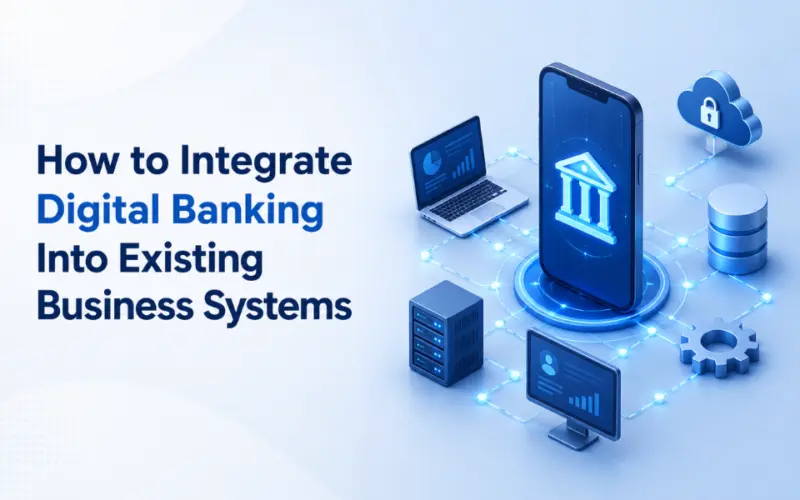
Digital banking solutions help solve this by connecting banking services with the systems a business already uses. This makes it easier to move financial information between systems without doing everything manually.
In this article, we will look at how businesses can connect digital banking with their existing systems in a simple way and what steps are needed to get started without confusion.
Understanding Your Current Business System Before Integration
Before bringing in any new banking technology, it helps to clearly understand what you are already using. Most businesses already have multiple tools running in the background, but they are not always connected in the way they should be.
Start by listing the systems you currently use for financial work. For example:
- Accounting software for records and reporting
- ERP systems for overall business management
- CRM tools for customer related financial data
- Payment processing platforms for transactions
- Loan or credit management tools if applicable
Once you have this list, look at how these systems interact with each other. In many cases, you will notice that they do not really communicate. Data is often moved manually from one system to another, and teams spend time checking and correcting mismatches.
This is where most of the friction happens. It is not usually about having the wrong tools, but about having tools that do not work together. Understanding this clearly helps you avoid adding another system that creates more complexity instead of solving it.
Step by Step Process to Integrate Digital Banking Into Your Systems
Once you understand your current setup, the next step is moving toward integration in a structured way. The aim is not to replace everything at once, but to connect systems one stage at a time so daily work continues without interruption.
1. Assess current systems
Start by reviewing how your current systems work. This includes your banking tools, accounting software, ERP platforms, and customer related processes. The goal is to identify where data is handled manually, where delays happen, and which systems do not communicate with each other. This gives a clear picture of what needs to be connected.
2. Define integration goals
Next, decide what you want to achieve. It could be faster payments, better tracking of transactions, mobile access, or automated reporting. When goals are clear, it becomes easier to choose the right tools and avoid unnecessary complexity later.
3. Choose the right integration approach
Most modern systems use APIs to connect banking services with internal tools. APIs allow different platforms like ERP, payment gateways, and accounting systems to share data without manual entry. This becomes the base of the integration process.
4. Build security and compliance controls
Security needs attention from the beginning. Use encryption, access control, authentication methods, and proper record tracking. These steps help protect financial data and support proper handling of sensitive information across systems.
5. Test before going live
Before full use, test the setup with real business scenarios such as payments, refunds, and reporting. This helps identify issues early and checks how systems respond when actual transactions begin.
6. Launch in phases
Instead of activating everything at once, introduce features step by step. This makes it easier to observe performance and fix issues without affecting daily work.
7. Monitor and improve
After launch, keep tracking system performance, transaction flow, and user activity. Based on feedback and usage, small improvements can be made over time to align the system with business needs.
Choosing the Right Digital Banking Solution for Your Business
Selecting a digital banking solution is not only about features. It is about how well the platform connects with your current systems and the kind of financial work your business handles every day. A careful choice can reduce future rework and avoid repeated manual handling between tools.
→ Start by checking how well the solution connects with your existing setup such as accounting software, ERP platforms, and payment systems. If integration support is limited, teams may still need to move data between systems manually.
→ Next, review the main functions the platform provides. Some focus mainly on payments, while others include cash tracking, lending support, or reporting tools. Choose based on actual needs instead of extra features that may not be used.
→ Also check how financial data is handled. The platform should support strong access control, encryption methods, and proper tracking of transactions.
→ Finally, consider the provider's experience with banking or financial systems, as this can impact how well integration is handled.
Conclusion
Integrating digital banking into existing systems can change how financial work is managed across a business. It reduces manual handling, improves tracking, and brings more clarity to day to day transactions when done with proper planning and the right setup.
The best approach is to start small, define clear goals, and treat integration as a continuous process. Over time, it helps build a stronger financial base that supports business growth without adding unnecessary complexity.
Disclaimer
This content is a community contribution. The views and data expressed are solely those of the author and do not reflect the official position or endorsement of nasscom.
That the contents of third-party articles/blogs published here on the website, and the interpretation of all information in the article/blogs such as data, maps, numbers, opinions etc. displayed in the article/blogs and views or the opinions expressed within the content are solely of the author's; and do not reflect the opinions and beliefs of NASSCOM or its affiliates in any manner. NASSCOM does not take any liability w.r.t. content in any manner and will not be liable in any manner whatsoever for any kind of liability arising out of any act, error or omission. The contents of third-party article/blogs published, are provided solely as convenience; and the presence of these articles/blogs should not, under any circumstances, be considered as an endorsement of the contents by NASSCOM in any manner; and if you chose to access these articles/blogs , you do so at your own risk.