





Smartphones have become one of the fastest and most reliable ways to deliver critical information to people during emergencies. Recognising this, governments across the world have introduced Wireless Emergency Alerts (WEA) systems that send instant notifications to mobile devices during disasters or urgent situations.
In India, the Department of Telecommunications (DoT) has been testing an emergency alert system that sends broadcast notifications to Android smartphones. Many users across the country have already received test alerts on their devices as part of these trials.
These alerts are designed to warn citizens about natural disasters, severe weather conditions, public safety threats, or other critical situations. By sending notifications directly to smartphones, authorities can quickly inform people and potentially help save lives.
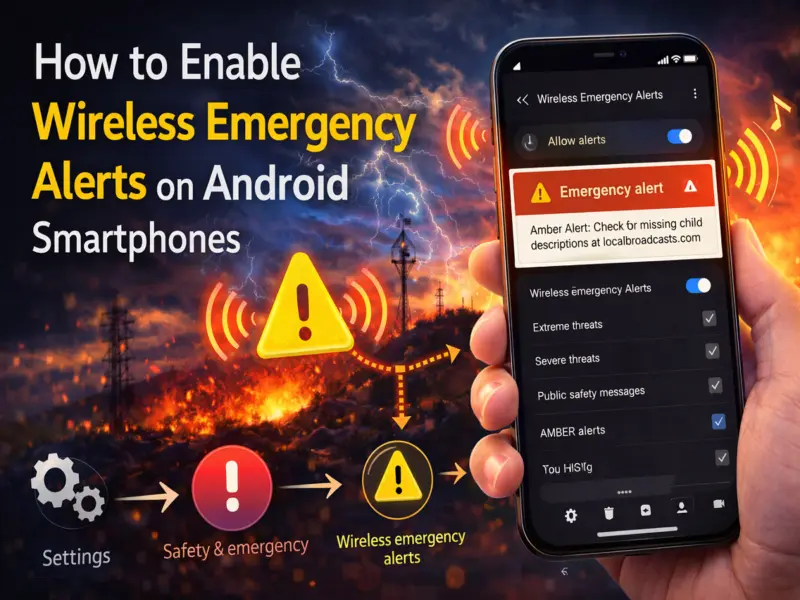
If you want to make sure your phone can receive these important notifications, here's a step-by-step guide on how to enable wireless emergency alerts on Android devices.
What Are Wireless Emergency Alerts?
Wireless Emergency Alerts are a public safety notification system that allows government agencies to send emergency messages to mobile phones in a specific area.
These alerts can inform users about:
Natural disasters such as earthquakes, floods, or cyclones
Severe weather warnings
Public safety threats
Missing child alerts (AMBER alerts)
Government test alerts
Unlike normal SMS messages, these alerts are broadcast directly by telecom networks, meaning they do not depend on internet connectivity.
Why Emergency Alerts Are Important
Emergency alerts can provide early warnings during dangerous situations, allowing people to take immediate action to protect themselves.
For example, alerts can notify citizens about:
Cyclones approaching coastal regions
Flood warnings during heavy rainfall
Earthquake alerts or aftershock warnings
Security threats or evacuation notices
The concept is similar to traditional emergency broadcasts that were earlier delivered through radio and television, but smartphones now allow authorities to reach a much larger audience instantly.
Are Wireless Emergency Alerts Enabled by Default?
On most Android smartphones, wireless emergency alerts are enabled by default. However, depending on your device settings or system updates, these alerts may sometimes be turned off.
If emergency notifications are disabled, you may not receive important alerts issued in your area. Therefore, it is recommended to check your phone settings and ensure that these alerts are enabled.
How to Enable Wireless Emergency Alerts on Android
If you want to confirm that emergency alerts are active on your device, follow these simple steps.
Step 1: Open Settings
Unlock your smartphone and open the Settings app.
Step 2: Go to Safety and Emergency
Scroll down and look for the "Safety and Emergency" option in the settings menu.
Step 3: Tap Wireless Emergency Alerts
Inside this section, find the option labeled "Wireless Emergency Alerts."
Step 4: Enable Alerts
Check whether the "Allow alerts" toggle is turned on.
If it is turned off, switch it on.
Step 5: Enable All Alert Types
Make sure that the following alert categories are also enabled:
Extreme threats
Severe threats
AMBER alerts
Test alerts
Area update broadcasts
Once these options are enabled, your smartphone will receive emergency alerts issued for your region.
When Will You Receive These Alerts?
Emergency alerts are usually triggered in situations such as:
Natural disasters
Public safety warnings
Government emergency tests
Missing child notifications
These alerts typically appear as loud notifications that override silent mode, ensuring that users notice them immediately.
Final Thoughts
Wireless emergency alerts play a critical role in public safety by delivering urgent warnings directly to smartphones. As governments increasingly rely on digital communication during emergencies, ensuring that these alerts are enabled on your device can make a significant difference.
By simply checking your Android settings and activating wireless emergency alerts, you can stay informed about important safety warnings and respond quickly during critical situations.