
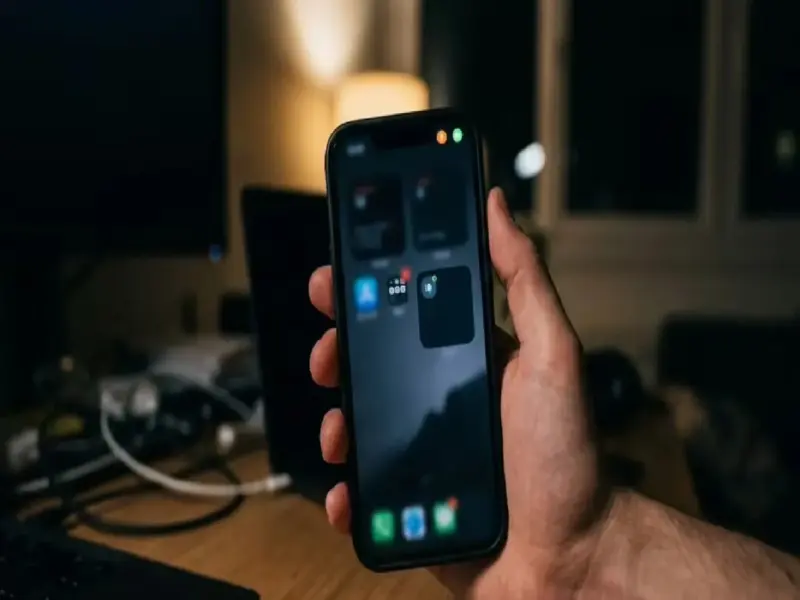

Has your phone been hacked? Quick battery drain, unexplained overheating, and colored dots appearing on the screen are key signs of hacking.
Understanding these 'security signals' is crucial to protecting your private data and bank accounts. Learn how cyber thieves take control of your phone and how to protect yourself.
In today's digital age, smartphones are no longer just a means of communication, but have become a vital tool for your personal life and banking details. However, cybercriminals are exploiting this convenience to spy on you in innovative ways. Recently, there has been a lot of discussion on social media and in the tech world about the distinctive colored dots that appear on smartphone screens.
What are the green and orange dots?
In newer versions of Android and iPhone, some indicators are provided in the upper corner of the screen as privacy features.
Green dot: If you see a green dot on your screen even when you're not using the camera, it means an app is using the camera in the background with your permission this could be the major sign of hacking.
Orange dot: This dot indicates that your phone's microphone is active. If you're not on a call or recording voice and still see this dot, someone may be secretly listening to your conversation. In such a case, users should immediately check app permissions.
Other hacking warnings
Signs of hacking aren't just colored dots, there are other changes you should be aware of:
Is the battery draining quickly? If your phone's battery is draining faster than usual, there may be spyware or malware active in the active in the background that's constantly transferring data.
Excessive data usage: If your internet data is running out quickly, even when you're not using your phone much, it's a sign that hackers are sending information from your phone to servers.
Phone overheating: If your phone is constantly overheating even when you're not gaming or using heavy apps, it could be due to hidden apps running in the 't install, these are clear signs of hacking.
What to do for security?
Check permissions (app permissions): Go to your phone's settings and check which apps have access to the camera and microphone. Immediately disable access to unnecessary apps.
Software update: Always keep your phone updated with the latest security patches.
Factory reset: If you're sure your phone has been hacked, the best option is to backup important data and perform a factory reset.
Recognizing these small changes to your phone is crucial for your privacy and financial security. Always be aware of such security tips.
PC: Maharashtratimes