
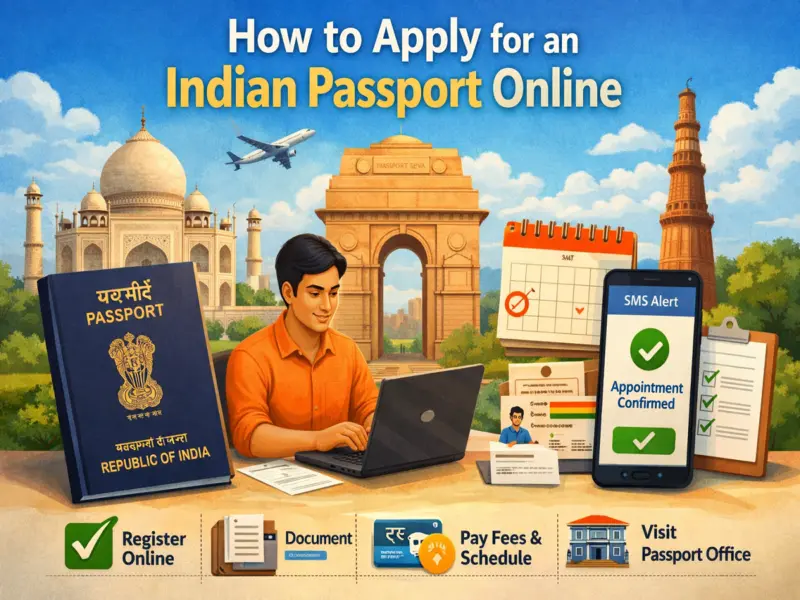

Applying for a passport in India has become much easier thanks to the government's online passport services. Instead of standing in long queues or dealing with paperwork at multiple offices, applicants can now complete most of the process online from home.
However, while the application itself is digital, one important step still requires your physical presence - document verification at a Passport Seva Kendra (PSK) or Regional Passport Office (RPO).
If you are planning to apply for a fresh passport or need a re-issue of your existing passport, it is important to understand the full process before getting started. From creating an account on the Passport Seva portal to booking an appointment and carrying original documents, every step matters.
Here is a complete and easy-to-follow guide on how to apply for a passport online in India.
Passport Application in India: What You Should Know First
Before beginning the online application process, make sure you have all your original documents ready. These documents are required for verification when you visit the passport office after submitting the form online.
Even though the passport application is submitted digitally, the verification process cannot be completed online. Applicants must visit the designated passport office in person after booking an appointment. This makes it essential to keep all personal details and supporting documents accurate and updated.
Another key point to remember is that after submitting your online passport application, you are generally expected to visit the passport office within the specified timeline, along with your documents and appointment details.
Step-by-Step Process to Apply for a Passport Online in India
Follow these steps carefully to complete your passport application online:
1. Visit the Passport Seva Portal
Begin by visiting the official Passport Seva portal. On the homepage, click on the "Register Now" option if you are a new user.
2. Create Your Account
You will need to fill in your personal details such as:
- Full name
- Date of birth
- Email ID
- Login credentials
- Passport office preference
Choose the passport office you would like to visit for document verification. Make sure all details are entered correctly to avoid delays later.
3. Enter Captcha and Complete Registration
After filling in the registration form, type the captcha code shown on the screen and click the Register button. Once this is done, your account will be created successfully.
4. Log In to Your Passport Seva Account
Use your newly created login ID and password to sign in to the Passport Seva portal.
5. Select the Correct Application Type
After logging in, click on "Apply for Fresh Passport/Re-issue of Passport".
This step is important because applicants must choose the correct category:
- Fresh Passport: For people who have never had an Indian passport before
- Re-issue of Passport: For those who already had a passport and need renewal, replacement, or updates
Selecting the wrong option may create issues in processing, so choose carefully.
6. Fill Out the Passport Application Form
Now complete the online passport form by entering all required details, including:
- Personal information
- Family details
- Address information
- Identity-related details
Double-check every field before submitting the form. Incorrect information can delay your passport approval or lead to rejection.
7. Submit the Form
Once all details are filled in correctly, click on the Submit button to proceed further.
Book Your Appointment and Pay the Fee
After submitting the form, the next step is to schedule your appointment.
8. Click on "Pay and Schedule Appointment"
You must select the "Pay and Schedule Appointment" option to move ahead. Without this step, your passport application will remain incomplete.
Applicants are required to pay the passport application fee online only. Once the payment is completed, you can choose a suitable date and time slot for visiting your selected Passport Seva Kendra or Regional Passport Office.
Booking your appointment online helps save time and reduces waiting at the passport office.
Download and Keep Your Application Receipt
9. Print the Application Receipt
After successfully booking your appointment, click on "Print Application Receipt" and save or print a copy for reference.
You will also receive an SMS on your registered mobile number containing your appointment details. In many cases, this SMS can also be shown at the passport office as proof of booking.
Visit the Passport Office for Verification
10. Carry Original Documents to the Appointment
On the date of your appointment, visit your selected Passport Seva Kendra or Regional Passport Office with your original documents.
This is the final and most important part of the process. Your documents will be checked and verified by officials before your passport application moves forward.
You may carry the printed application receipt, but in many cases, the appointment SMS is also accepted as valid proof.
Final Word
Applying for a passport online in India is now a straightforward process, especially for first-time applicants. By completing the online form, paying the fee digitally, and booking your appointment in advance, you can save a significant amount of time.
Still, the process is only completed once your original documents are verified in person. So before starting, make sure your paperwork is ready and your details are accurate.
For anyone planning international travel, work, study, or identification needs, getting a passport is an essential step - and the online system has made it more convenient than ever.