
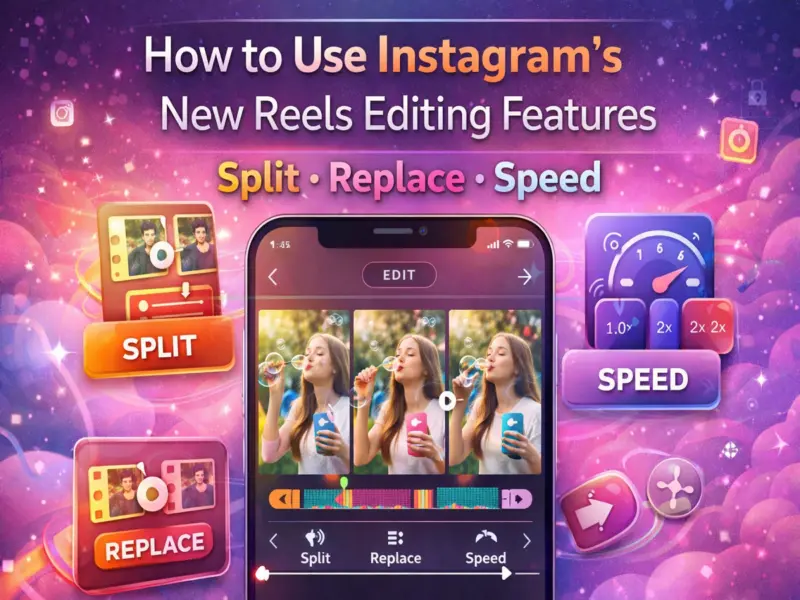

Instagram continues to expand its video creation capabilities by introducing new Reels editing tools designed to make content creation easier and more flexible.
The Meta-owned platform has rolled out three new editing features - Split, Replace, and Speed - that allow creators to modify their videos directly inside the app without relying on third-party editing software.
These additions aim to simplify the editing process and give users greater control over their Reels. Whether you are adjusting video pacing, replacing clips, or trimming segments, the new tools allow creators to edit videos quickly while keeping effects, audio, and the timeline intact.
Below is a detailed explanation of what these new Reels editing tools do and how you can use them on Instagram.
What Are Instagram's New Reels Editing Tools?
Instagram's latest update introduces three powerful tools that improve the editing experience for short-form videos.
These tools help creators refine their content before publishing, making it easier to produce engaging and professional-looking Reels directly from their smartphones.
1. Split Tool: Break a Clip Into Separate Segments
The Split feature allows users to divide a video clip into two separate parts during editing.
This is useful when you want to trim a section, apply different effects, or rearrange clips within the timeline. By splitting a video, creators can work on each segment individually and make precise edits without affecting the rest of the clip.
For example, if you want to remove a small portion from the middle of a clip or apply a different filter to a particular section, the Split tool makes this process simple.
2. Replace Tool: Swap Clips Without Changing the Timeline
The Replace feature allows users to substitute an existing video clip with another one without disturbing the rest of the video sequence.
When a clip is replaced, the timeline remains unchanged, and elements like audio tracks, filters, and visual effects stay intact. This helps creators experiment with different clips without having to rebuild the entire Reel.
For instance, if you want to change one scene in your video but keep the same music and transitions, the Replace tool allows you to do it quickly.
3. Speed Tool: Control the Playback Speed
The Speed feature enables creators to change how fast or slow a video clip plays.
Users can increase the speed to create fast-motion effects or slow down the clip to highlight specific moments. Adjusting speed can add dramatic effects, emphasize details, or match the pacing of background music.
This feature is especially useful for tutorials, travel videos, fitness clips, and storytelling content where timing plays an important role.
How to Use the New Reels Editing Tools on Instagram
Using the updated editing tools is simple. Follow these steps:
Update Instagram to the latest version from the app store.
Open the Instagram app on your smartphone.
Tap the "+" icon at the bottom of the screen.
Select the Reels option.
Choose a pre-recorded video from your gallery or record a new clip.
Tap the Edit option to access the editing timeline.
Select Split, Replace, or Speed depending on the edit you want to make.
Apply the changes and tap the forward arrow to continue posting your Reel.
Once the edits are complete, you can add captions, hashtags, and other creative elements before publishing.
Availability of the New Reels Editing Features
Instagram is rolling out these tools gradually to users worldwide. This means that some users may see the new editing options earlier than others.
If the features are not available on your device yet, updating the app and waiting for the rollout may resolve the issue.
Why These Editing Tools Matter for Creators
Short-form video content has become one of the most popular formats on social media. By adding advanced editing tools directly within the app, Instagram aims to make content creation more accessible for everyone.
These tools allow creators to:
Edit videos faster without external apps
Maintain audio and visual effects while modifying clips
Produce higher-quality content using simple editing options
Experiment with creative storytelling techniques
Instagram's new Reels editing tools - Split, Replace, and Speed - provide creators with more control over their content while simplifying the editing workflow.
By allowing users to adjust clips, replace segments, and change video speed within the app itself, Instagram makes it easier to create polished Reels quickly.
If you regularly create Reels, updating your Instagram app and exploring these new tools can help improve the quality and creativity of your videos.