




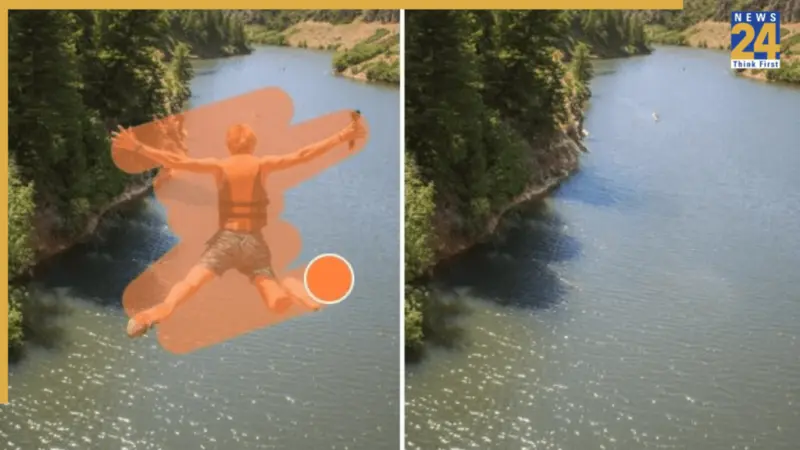

Sometimes a watermark is not a dealbreaker until you are ready to reuse a video. Maybe it is an old logo in the corner, a TikTok or editing-app mark you no longer want, or branding from a draft export that makes the final clip feel less polished.
That is where a good video watermark remover becomes genuinely useful. The best ones do more than hide a logo. They remove it cleanly, preserve the frame as much as possible, and save you from opening a full desktop editor for a tiny cleanup job. Airbrush, PhotoCat, Media.io, HitPaw, and Vmake all offer live video watermark removal tools or products right now, but they are not all aimed at the same type of user.
A quick note before getting into the list: these tools should be used on videos you own, created, or have permission to edit. If you are simply trying to clean up your own content for reposting, rebranding, archiving, or repurposing, a watermark remover can be a huge time-saver. With that in mind, here are five of the best options to consider right now.
1. Airbrush: Best Overall Video Watermark Remover
If you want the most balanced option overall, Airbrush is the one I would put first. Its watermark remover online video is built around exactly the use case most people care about: removing logos, text, and watermarks quickly, directly in the browser, without turning the task into a technical editing project. Airbrush says the tool removes watermarks, logos, and text automatically, supports MP4, M4V, and MOV, works up to 4K, and allows uploads under 200MB and under 10 minutes. It also highlights that there is no installation or signup required, which immediately makes it more appealing for casual users and creators who just want to get in, clean the clip, and move on.
What gives Airbrush the edge is how clean and straightforward the experience sounds. The platform emphasizes automatic processing, a professional-looking output, and preserving clarity rather than simply masking part of the frame. It also gives users a free first 5-second preview before requiring credits for the full video, which is actually useful because it lets you see whether the removal looks good before committing. Airbrush also explicitly frames the tool around practical content workflows like repurposing TikTok clips, reusing creator content, refreshing old branded videos, and keeping videos looking professional across platforms. That is a very realistic use case, and it is one reason Airbrush feels more thoughtful than many generic "AI remover" tools.
For this list, Airbrush takes the top spot because it feels like the best mix of ease, quality, and real-world usefulness. It is browser-based, simple, automatic, and clearly designed for creators who care about clean results without a lot of friction. If you only want one recommendation from this article, Airbrush is the strongest one for video enhancer and Photo enhancer also.
2. PhotoCat: Best for Bulk Watermark Removal
PhotoCat is the one to keep an eye on if you want scale and convenience. Its Video Watermark Remover page leans hard into speed and volume. PhotoCat says the tool can bulk edit up to 50 videos, automatically detect watermarks with AI, and keep the original quality while staying completely online and free. It also says it does not add its own watermark to the output and presents itself as ad-free, which is a nice detail because many free tools feel cluttered or limited in annoying ways.
What makes PhotoCat stand out is that it is not only talking about one kind of watermark. It explicitly says it can handle logos, text, stickers, timestamps, and even moving or semi-transparent branded overlays in social clips. It also supports MP4, M4V, and MOV, and the process is fully online with no app install required. That makes PhotoCat especially attractive for users with a larger backlog of videos to clean up, or for people doing repetitive social media editing where they need more than one quick fix.
The reason I still place it below Airbrush is that PhotoCat feels more like the high-efficiency option than the most polished all-around recommendation. If you care most about processing more clips in one go, PhotoCat is fantastic. But if you want the best blend of smooth experience, broad creator appeal, and a cleaner editorial recommendation for most readers, Airbrush still comes first.
3. Media.io: Best for Flexible Manual Selection
Media.io is a strong choice for users who want a little more manual control during removal. On its official page, Media.io says its AI watermark remover can erase text, logos, and timestamps from videos and images while keeping content sharp and professional. It also positions the tool as free, browser-based, and able to work with a wide range of formats. In the step-by-step section, it specifically says you can select one or multiple unwanted areas with a virtual brush, which makes it a good option when the watermark location is obvious, and you want to define the removal zone yourself.
That manual brush element is what makes Media.io different from some of the more fully automatic tools. Not every watermark is identical from clip to clip, and not every user wants to rely entirely on auto-detection. If you are working on a video where you want a little more say in what gets removed, Media.io gives you that flexibility without forcing you into professional editing software. It also supports common formats, including MP4, MOV, M4V, and 3GP on the workflow page, and the broader product positioning mentions even wider format support across the tool.
Media.io is not my number one pick because it feels more toolkit-like than Airbrush. But it is still a very good choice, especially if your priority is format flexibility and the ability to mark multiple removal areas yourself.
4. HitPaw: Best for Users Who Want More Removal Modes
If you want a watermark remover that feels more like a full utility product than a lightweight web tool, HitPaw is a good option. Its official page describes the product as an AI-powered watermark remover for videos and images and says it can automatically detect and remove watermarks, texts, logos, stamps, and other objects. It also highlights that it can handle both static and floating watermarks and offers one-click dewatermarking.
One thing HitPaw does especially well in its positioning is variety. The company says the product supports multiple removal approaches and can also handle stickers, date or text overlays, unwanted people, and objects. That makes it sound more like a broader cleanup tool rather than a single-purpose watermark remover. For users who frequently need to clean different kinds of distractions from both photos and videos, that versatility is a real benefit.
The reason it lands at number four is simple: it feels slightly heavier and less streamlined for someone who just wants a fast online watermark fix. HitPaw is powerful, but Airbrush and PhotoCat feel more immediately approachable for the average creator or social user.
5. Vmake: Best for Quick Multi-File Social Edits
Vmake rounds out the list as a practical choice for users who want quick, social-friendly cleanup. On its official page, Vmake says its Video Watermark Remover can erase watermarks, logos, and other branding assets from videos, shows results in real time, and requires no signup. It supports up to three files at a time and accepts formats like MP4, MOV, M4V, 3GP, and AVI.
That makes Vmake useful for short-form creators or marketers who want to clean several clips without a lot of setup. In the search snippet for the official tool, Vmake also says the first five seconds can be downloaded for free, while full-video downloads require credits. That model will feel familiar if you have used lightweight AI video tools before. It is convenient for testing results, but it also means Vmake works best when you are okay with a preview-first workflow instead of expecting unlimited free exports.
Vmake is a solid option, but it feels a little more utilitarian than the stronger top three. It is good, fast, and very usable, though I would still recommend Airbrush first if your goal is the best overall experience.
Which Video Watermark Remover Is Best?
All five tools on this list can do the job, but they serve slightly different needs. PhotoCat is excellent if you need bulk processing. Media.io is useful if you want to brush-select one or multiple areas yourself. HitPaw is strong if you want a more feature-rich utility for both videos and images. Vmake is handy for quick multi-file social edits.
But if you are asking for the best overall video watermark remover, Airbrush is the one I would choose. It hits the sweet spot: browser-based, no signup, automatic removal, quality-focused output, clear support for creator workflows, and an easy preview model before full export. That combination makes it feel less like a technical workaround and more like a genuinely useful modern editing tool.