
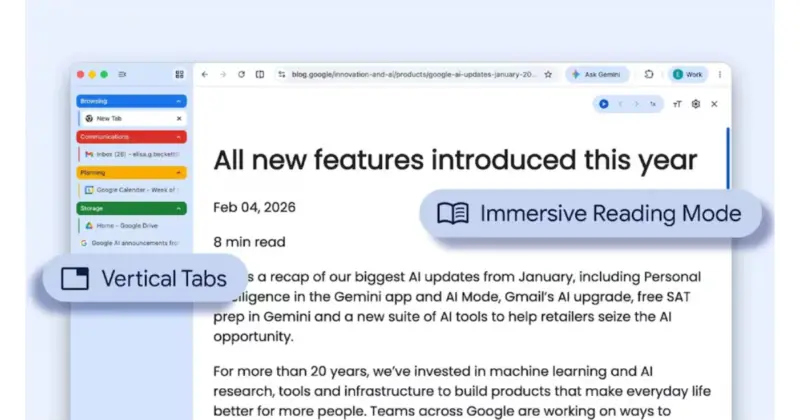

Google Chrome vertical tabs are finally rolling out to everyday users, and they are arriving alongside a more immersive full-page reading mode aimed at cutting on-screen noise.
The update targets a familiar problem: crowded browser windows and fussy pages that are hard to follow.
Google says the new vertical layout moves tabs to a side panel, letting people read full page titles and keep tab groups under control even when the number of open tabs climbs into double digits. Users can enable Google Chrome vertical tabs by right-clicking on any Chrome window and choosing "Show Tabs Vertically". The feature, long offered by rivals such as Microsoft Edge and Mozilla Firefox, is now built into Chrome's stable desktop release and is rolling out globally.
The second change builds on Chrome's existing Reading Mode, which has until now lived in a narrower side pane. With the latest release, Google Chrome vertical tabs arrive together with a full-page reading mode that strips away ads and other visual distractions, transforming a busy page into a text-focused, immersive layout. You can access it by right-clicking on any page and selecting "Open in reading mode", or by tapping the Reading Mode icon in the address bar on desktop.
Both features follow a series of productivity tweaks to Chrome, including a Gemini AI side panel that launched earlier this year for users in India, although its Auto Browse function remains limited to some markets. For people who live inside their browser, Google Chrome vertical tabs and the new full-page reading mode may not be flashy updates, but they are likely to make long research sessions, multitasking and everyday reading just a little calmer.