
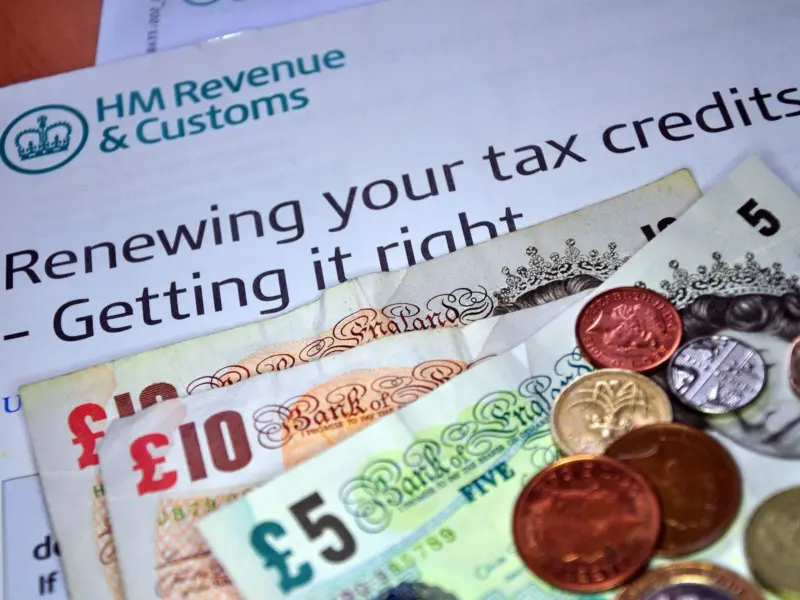

UK Tax Refund Update: More than 170,000 taxpayers in the United Kingdom missed out on tax refunds averaging £800 due to administrative hurdles and uncashed cheques issued by HM Revenue and Customs.
The issue has sparked criticism over outdated payment systems and communication gaps that leave millions unaware of money owed to them.
What is an HMRC Tax Refund?
An HMRC tax refund occurs when you have paid more income tax than required during a tax year and this usually happens due to incorrect tax codes, job changes, pension payments or overlapping employment. Once identified, HM Revenue and Customs returns the excess amount through bank transfer or cheque.
HMRC Tax Refund Update: Over 178,000 Cheques Left Unclaimed
Recent figures reveal that HMRC issued 1.7 million refund cheques last year however, 178,180 cheques remained uncashed and totaling £144 million in unpaid refunds. This means each taxpayer missed an average of £800 and highlighting a significant gap in the tax repayment system.
HMRC Tax Refund Update: Decline in Cheque Usage, But Problems Persist
HMRC has been gradually reducing cheque payments. In the 2023-24 tax year, around 4.1 million cheques were issued, which dropped sharply to 1.7 million in 2024. Despite this improvement, large numbers of taxpayers still fail to claim refunds due to outdated processes.
HMRC Tax Refund Update: Experts Call System 'Problematic'
Robert Salter from Blick Rothenberg described the continued use of cheques as "problematic." He noted that delays occur when taxpayers overlook official correspondence, leading to unclaimed funds and administrative inefficiencies.
How HMRC Refund Notifications Work
Most taxpayers receive a P800 letter from HMRC around June, following the April tax year end. The letter informs individuals they are owed money and provides instructions to claim via bank transfer (BACS) through the Government Gateway account.
Why People Overpay Tax
Common reasons for overpayment include:
- Incorrect tax codes issued by employers or HMRC
- Switching jobs and receiving overlapping payments
- Starting pension payments earlier than expected
- Receiving jobseeker's allowance or employment support payments
These scenarios frequently lead to excess deductions during the tax year.
HMRC Tax Refund Update: Uncashed Cheques Create Additional Delays
HMRC cheques typically expire after six months, though replacements can still be requested however, verifying repayments becomes more difficult after nine years and increasing the risk that taxpayers may never recover their money.
HMRC Shifts Toward Digital Payments
HMRC says bank transfers are now the default option, aiming to speed up payments and reduce lost refunds. Digital communication methods are also being expanded to ensure taxpayers receive notifications promptly.
How to Use the HMRC App to Claim a Tax Refund?
You can claim your refund using the HMRC App by following these steps:
- Download and open the HMRC app
- Sign in using your Government Gateway ID
- Go to Pay As You Earn (PAYE) section
- Tap Check your Income Tax
- If a refund is available and select Claim Refund
- Enter bank details and confirm
- Track payment status directly in the app
Most refunds through the app are processed within 5 working days.
How to Claim Tax Refund from HMRC
Follow this step-by-step guide to get your money back:
1. Check If You're Owed a Refund
Review payslips, income records and tax statements while use HMRC's tax checker to confirm whether you are owed money.
2. Gather Required Documents
Prepare necessary paperwork such as:
- P60
- P45
- P87
- Self-Assessment records
- Payslips or pension details
Having these ready speeds up the process.
3. Claim PAYE Refund
- If you receive a P800 letter, follow instructions to claim online or wait for cheque
- If you don't receive a P800, use forms P50, P53 or P87
- Submit forms directly to HMRC
4. Claim Self-Assessment Refund
If you are self-employed, landlord or company director:
- Submit your Self-Assessment tax return
- HMRC automatically calculates refund
- Payment is sent directly to your bank account
- Complex claims may take up to 8 weeks
5. Track Your Refund
Log into your Personal Tax Account and:
- Check “Income Tax” section
- Track refund progress
- Receive payment updates
Tracking helps avoid delays and ensures you receive your refund quickly.
How Long Does It Take for HMRC to Refund?
- Online claims (via Personal Tax Account): Usually 5-10 working days
- Bank transfer after P800 letter: Typically within 5 working days
- Cheque payments: Can take up to 2-6 weeks
- Self-Assessment refunds: Usually within 2 weeks online, up to 8 weeks for complex cases
- Postal claims: May take 6-12 weeks depending on verification
Processing times may vary if HMRC needs to review additional information.
What Taxpayers Should Do Now
- Check for any P800 letters from HM Revenue and Customs after the tax year ends in April
- Log into your Government Gateway account to see if you are owed a refund
- Request payment via bank transfer (BACS) for faster and safer processing
- Cash any HMRC cheque within six months to avoid delays
- Contact HMRC to reissue expired or lost cheques if needed
- Review your tax code regularly to avoid overpaying tax
- Update your address and bank details to ensure you receive notifications
- Keep records of employment, pension and benefit payments to identify overpayments
Disclaimer: This article is for informational purposes only and does not constitute tax or financial advice. Individuals should contact HMRC for personal guidance.