

Making videos used to mean buying expensive computers and learning complicated software. You would sit for hours trying to figure out how to cut a simple clip or add a basic text overlay.
Now, you can do almost everything straight from your browser. Finding the right video editorWebsite saves you time, money, and a lot of frustration.
If you want to create engaging content without installing heavy desktop programs, you are in the right place. This guide covers exactly what you should look for, which features actually matter, and how to start cutting your next project today.
Why Browser-Based Editing Makes Sense
People used to mock web-based tools. They thought a browser could never handle heavy video files. Technology changed quickly, and now these web platforms pack a serious punch. You do not need a massive hard drive or a supercomputer to make great content anymore. All the heavy lifting happens on massive cloud servers. You simply upload your clips, make your edits, and hit export. Your old laptop can suddenly handle 4K video because the browser is just acting as a window to a much stronger machine far away.
Working in the cloud also means your files go with you everywhere. You can start a project on your desktop at home, make a few tweaks on your laptop at a coffee shop, and share the final cut from your phone. You never have to worry about leaving a crucial file on a flash drive again.
Perfect for Teams and Freelancers
Working with others becomes much easier when everything lives online. You can send a link to a client or a co-creator, and they can leave comments right on the video timeline.
You avoid the headache of rendering a draft, uploading it to a file-sharing site, waiting for an email reply, and trying to decipher messy timecode notes. Everyone stays on the same page.
Features That Actually Matter
When you start testing different platforms, you will see a lot of flashy marketing terms. Ignore the noise and focus on what you actually need to get your work done. A good web editor should make your life easier, not more confusing.
Here are the core features you should expect from a reliable platform:
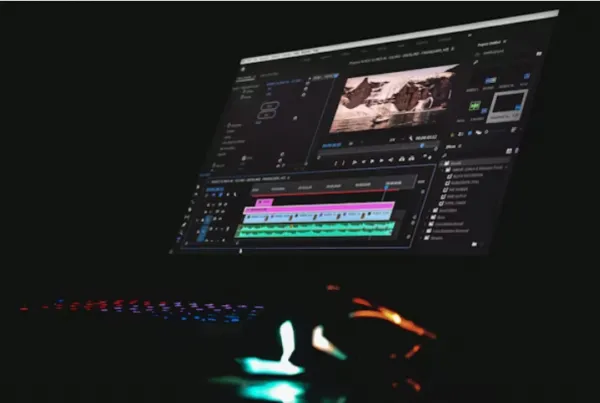
●A clean, intuitive timeline: You should be able to drag, drop, cut, and snap clips together without reading a manual.
●Built-in stock media: Access to high-quality music, sound effects, and B-roll saves you from hunting across the internet for assets.
●Text and caption tools: Most people watch videos on their phones with the sound off. Easy captioning is an absolute must.
●Fast export speeds: Waiting hours for a short clip to render kills your momentum. Look for platforms that promise quick cloud rendering.
●Custom dimensions: You need to export the same video for a square Instagram feed, a vertical TikTok, and a horizontal YouTube page.
Automatic Subtitles and Audio Tools
Typing out captions by hand takes forever. The best web platforms now offer auto-captioning tools. They listen to your audio, type out the words, and let you fix the few mistakes they make. Good audio tools also let you clean up background noise with a single click. If you recorded a great video but a dog was barking in the background, a quick audio sweep can save the whole clip.
Who Should Use Web-Based Editors?
Different creators have different needs. Let us look at who benefits the most from ditching traditional desktop software.
Social Media Creators
If you make a living posting videos on social platforms, speed is everything. You need to react to trends, cut clips quickly, and post before the joke gets old. Web editors shine here because they often come with pre-made templates designed specifically for social media. You can drop your clips into a template, change the text, and publish your content in minutes.
Small Business Owners
Running a business leaves little time for learning complex video theory. You probably just need a nice promotional video for your website or a quick explainer for a new product. Browser tools give you professional-looking text animations and transitions without the steep learning curve. You save the money you would have spent hiring an outside agency.
Educators and Course Creators
Teachers and online coaches use video more than ever. Whether you need to record your screen for a tutorial or piece together lecture clips, web platforms keep things organized. You can easily add title cards, pop-up notes, and background music to keep your students focused.
How to Make Your Final Choice
With so many options available, picking just one can feel overwhelming. The best approach is to test them out yourself. Start by signing up for a few free accounts. Most platforms offer a free tier or a trial period. Upload a few short clips and try to perform a basic edit.
Ask yourself these questions as you test:
●Did the website load quickly, or did it lag?
●Could I easily figure out how to split a clip in half?
●Were the stock music options actually good, or did they sound cheap?
●How long did it take to export the final file?
●Are the pricing plans clear and fair for my budget?
Do not just look at the feature list. The way a tool feels in your hands matters more than how many buttons it has. If the interface frustrates you during a simple test, it will drive you crazy during a long, complex project.

Start Creating With Confidence
Now that you know what to look for, it is time to get started. Gather three or four short video clips on your computer. Pick a browser-based editing tool that caught your eye and create a free account. Try putting together a quick 30-second video. Add a title, lay down a background music track, and try adjusting the volume. The best way to learn is by doing. You might be surprised at how fast you can turn raw footage into something you are proud to share.