
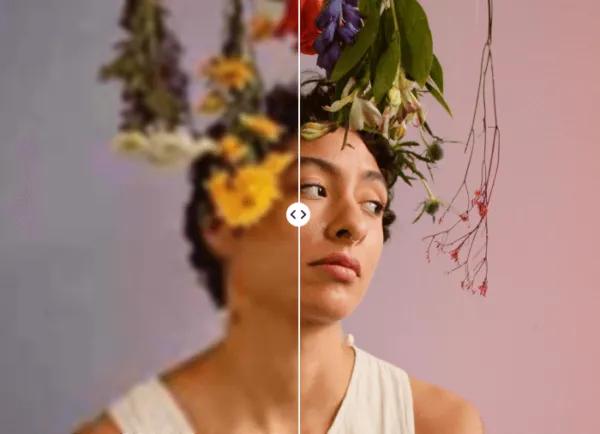

The frustration of a blurry photo is a universal modern experience. Whether it’s a once-in-a-lifetime travel shot or a crucial document capture, seeing that hazy “soft focus” can be heartbreaking.
In my line of work as a digital content strategist, I've had to rescue hundreds of low-quality assets. Recently, while preparing a series of high-res features, I found myself relying heavily on an AI object removerto declutter my frames and a robust unblur image algorithm to restore facial details that I thought were lost forever.
The evolution of generative AI has turned what used to be a tedious Photoshop manual task into a seconds-long automated process. I spent the last week putting nine of the most talked-about tools to the test, using real-world photos ranging from shaky handheld shots to out-of-focus portraits. Here is an honest look at how these tools actually function and what you can expect from their specific unblurring features.
1. BeautyPlus
BeautyPlus isn’t just about filters anymore; its AI unblur feature is specifically engineered to recognize human features. When you upload a photo, the tool performs a “facial reconstruction” that identifies eyes, eyebrows, and lip lines, sharpening them without the grainy noise often associated with traditional sharpening. It's particularly effective at fixing “beauty blur”-the kind caused by a slight movement during a long-exposure night shot.
2. UnblurImage.ai
The core strength of UnblurImage.ai lies in its simplicity and its focus on motion deblurring. Unlike multi-purpose editors, its algorithm is tuned to detect the direction of a “blur streak” and reverse the mathematical spread of pixels. During my tests, it excelled at fixing photos where the camera or the subject moved slightly, effectively “pinning” the pixels back to their original coordinates.
3. Picsart
Picsart’s unblur functionality is part of its “AI Enhance” suite. What makes it unique is that it uses a generative model to fill in the gaps of a blurry image. When you toggle the enhancement, it doesn’t just sharpen the existing blurry pixels; it actually adds detail back into the image. This makes it a go-to for low-light photos that suffer from both blur and digital noise, as it cleans and sharpens simultaneously.
4. Topaz Labs Photo AI
Topaz Labs offers a sophisticated “Sharpen AI” module that categorizes blur into three types: Motion, Focus, and Softness. This is a game-changer because a photo that is out of focus requires a different mathematical fix than a photo with camera shake. The software analyzes the image, identifies the blur type, and applies a specialized neural network to “deconvolve” the light, resulting in professional-grade clarity.
5. Adobe Express
Adobe Express provides a cloud-based version of the sharpening tech found in Photoshop. Its unblur feature is built around a precision slider that allows you to control the “strength” and “radius” of the sharpening. This is vital because it prevents the “halo” effect-those weird white lines that appear around objects when you over-sharpen. It's about achieving a natural, crisp look rather than a digital one.
6. TinyWow
TinyWow provides a surprisingly powerful server-side processing tool that handles unblurring in a single click. Their engine focuses on edge detection. By identifying the high-contrast edges within a blurry mess, it tightens the transitions between colors. It's a straightforward, “no-nonsense” tool that works exceptionally well for sharpening text on blurred documents or signs.
7. Canva
Canva has integrated its unblur tool into the “Magic Edit” workflow. The feature works by analyzing the “texture” of the image. For instance, if you have a blurry photo of a sweater, the AI recognizes the knit pattern and attempts to restore the texture’s definition. It's designed to ensure that photos used in professional layouts don’t look amateurish due to soft focus.
8. ImageUpscaler
ImageUpscaler specializes in the intersection of resolution and clarity. Their deblurring tool is particularly useful for small images that have become pixelated and blurry when enlarged. The AI “guesses” the missing data between pixels to create a sharper edge. I found this most useful for restoring old digital photos from the early 2000s that lacked the high megapixel count of today’s cameras.
9. PicWish
PicWish uses a highly specialized algorithm for portraiture. It utilizes “Face Enhancement” technology that specifically targets the T-zone of the face (eyes, nose, and mouth) to ensure they are the sharpest parts of the image. For product photographers, it also offers a “proprietary sharpening” that helps define the silhouettes of objects against their backgrounds, making items “pop” even if the original shot was a bit soft.
Final Thoughts
We've entered an era where a shaky hand no longer ruins a perfect moment. The sophistication of these AI models means that information we thought was “smeared” away is actually still there, hidden in the pixel data, waiting for the right algorithm to pull it back into focus. Testing these tools has shown me that there is no longer a reason to settle for mediocre visuals. With a few clicks, you can turn a discarded, blurry snapshot into a professional-quality image that's ready for the world to see. Whether it’s a family heirloom or a brand asset, the technology to make it clear is now right at our fingertips.