
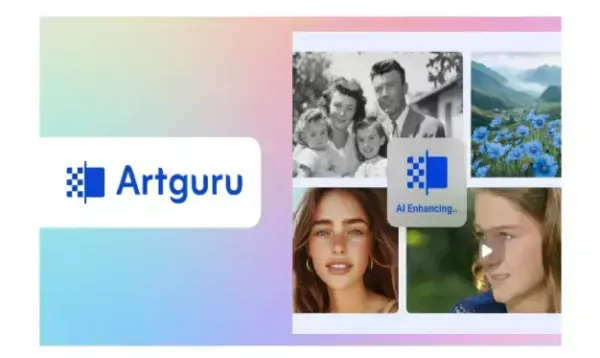

Visual content continues to grow in importance within today's society; therefore, clarity and quality of visual/image content are becoming increasingly necessary.
For some, this can be very difficult to find as technology is evolving at such an accelerated pace that the majority of users will continue to have trouble with blurred photos, pixelated images from downloaded online resources, or videos recorded in low-resolution formats. Professional editing software is typically too pricey and very hard to learn at first sight for beginner users.
The AI enhancement platform, Artguru, was designed to overcome these obstacles for users. It helps improve images, videos, and visual documents with minimal effort, offering tools like an AI photo enhancer (up to 4K), an AI image upscaler (up to 8K), and a video enhancer (up to 4K) for better clarity and resolution. Artguru is accessible via the web, iOS, and Android devices, giving users the flexibility to use it on virtually any device.
Artguru has been developed to cater to all types of users. Content creators can benefit from Artguru just as much as social media users or small businesses can, so there is something for everyone who wants improved visual content without having to learn how to use advanced editing programs/software.
The primary issues Artguru seeks to address are as follows:
- Blurred or low-quality photo images.
- Pixelated images that do not convey professionalism.
- Old video and low-quality recording formats.
- Visuals of low quality used for websites and social platforms (e.g., social media).
- Images and videos that require immediate attention and enhancement without additional editing skills and time.
The use of AI technologies allows Artguru to automatically handle these issues, giving users clean and natural results without the additional time and effort required for manual editing methods.
Image Enhancing and Upscaling Experience
Artguru's image upscaling feature is among its best. It has two main image enhancement tools: AI Photo Enhancer and AI Image Upscaler.
The photo enhancer allows you to enhance the clarity and sharpness of your images up to 4k resolution and can be used for everyday photos, portraits, product shots, anime, and any other type of image or text-based images.
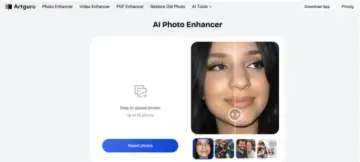
The image upscaler is designed for more complex tasks. The image upscaler can upscale to a maximum of 8K resolution and is ideal for large format printing, displaying on large screens, or creating professional projects.
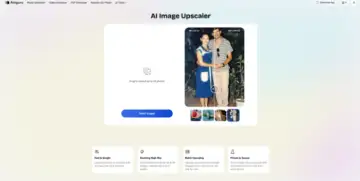
One major advantage of Artguru is that it is very easy to use, as it is designed for beginners. Users simply upload the image, and the artificial intelligence will handle everything else. Even a novice user can achieve good results in seconds.
Artguru also has the ability to process multiple images in a batch; users can process up to 50 images at a time. This feature saves businesses and creators valuable time.
Video Upscaling Capabilities
Artguru has a video enhancement tool that also employs artificial intelligence to improve videos that have been recorded at lower resolutions or by outdated equipment.
This function allows you to turn your videos into HD or 4K for different uses. It enhances your videos by improving visual clarity, while increasing sharpness and improving how visually appealing each frame is. By processing each frame through artificial intelligence, this system helps reduce blurriness, enhance detail, and overall create a more polished look for your videos, so they look smoother.
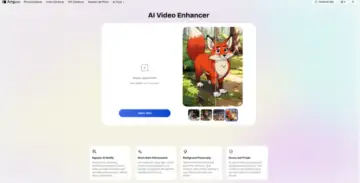
The overall processing speed depends on the length of your video and normally takes a few minutes to maybe 1 hour, but you can close the tab and let it run in the background while it automatically upscales videos. It provides a clean output that can be used on several social media sites, including Instagram, TikTok, and YouTube.
Supported Formats and Use Cases
Artguru has many types of supported image and video formats, providing users with the ability to use it for various purposes. In addition to common image formats such as JPG, PNG, and WEBP, it may be used with commonly used device-based video formats.
For content creators it helps improve photos and videos for social media posts, thumbnails, and short-form content. Clear visuals help increase engagement and improve overall presentation.
For e-commerce and online sellers Artguru improves product images so they look sharp and professional. This can help build trust and increase sales by making products look more appealing.
For personal projects users can enhance family photos, old memories, travel pictures, and personal videos. Artguru is also useful for students and researchers who need clearer visuals for presentations or projects.
Pros and Limitations
Artguru has several strong advantages that make it appealing to many users.
Main strengths:
- Very easy to use, even for beginners
- High-quality image upscaling up to 8K
- Natural-looking results without over-editing
- Supports batch processing
- Available on web, iOS, and Android
- Free plan available for testing
However, there are also some limitations to consider.
Limitations:
- Free version includes watermarks
- High-resolution exports require a paid plan
Final Verdict
To sum up, Artguru is an effective yet simple-to-use program for scaling up images & videos. It offers superior technology combined with an easy-to-use interface so anyone can get the most out of their visual art without being overwhelmed by complicated processes.
Artguru's capabilities make it perfect for anyone from students who want quick updates to online sellers & content creators who want improvements without spending hours learning how to edit & enhance their work.
If you frequently deal with low quality images/videos and need quick results that look natural, give Artguru a shot. For those people who prefer to have everything done quickly, easily, neatly, and professionally, Artguru provides an outstanding overall enhancement solution.